
유진의 코딩스토리
Azure AI servies - AI Language 본문
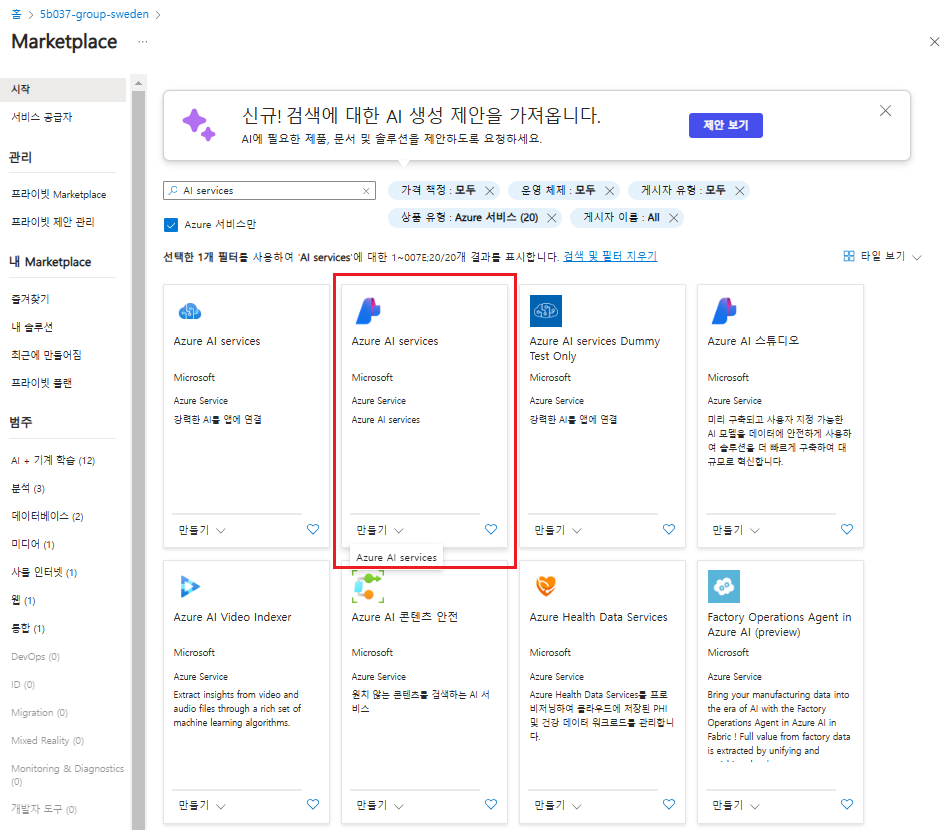
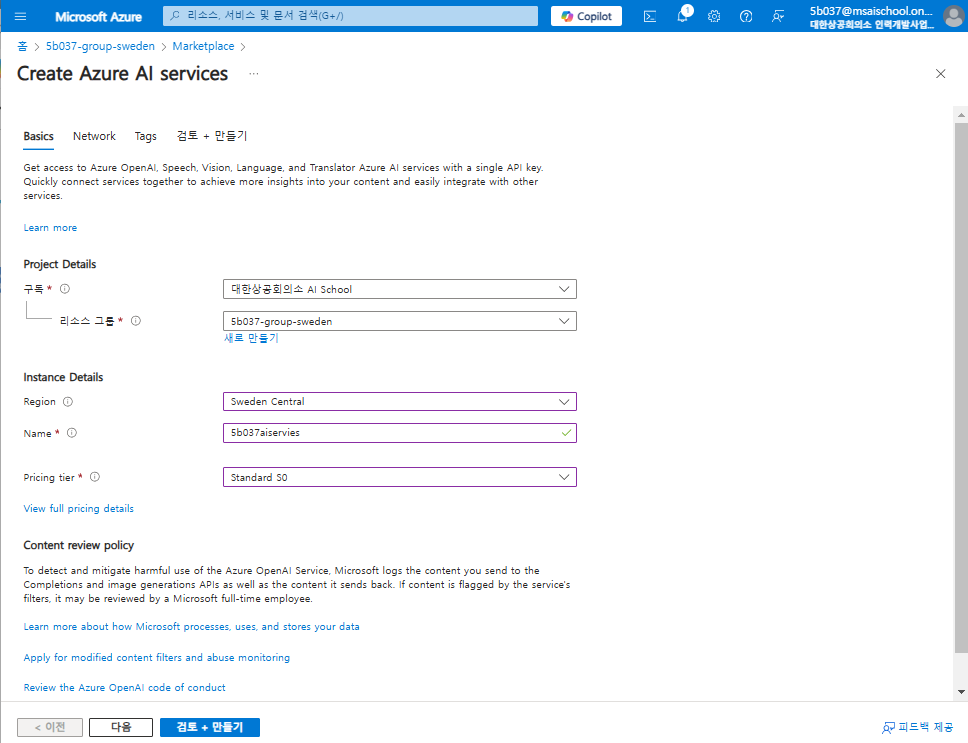
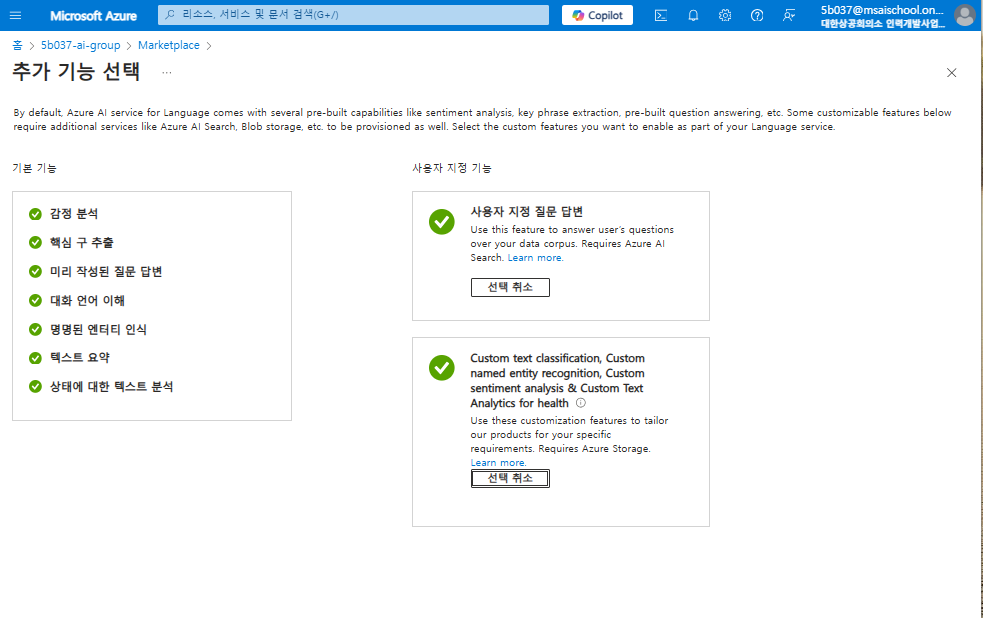
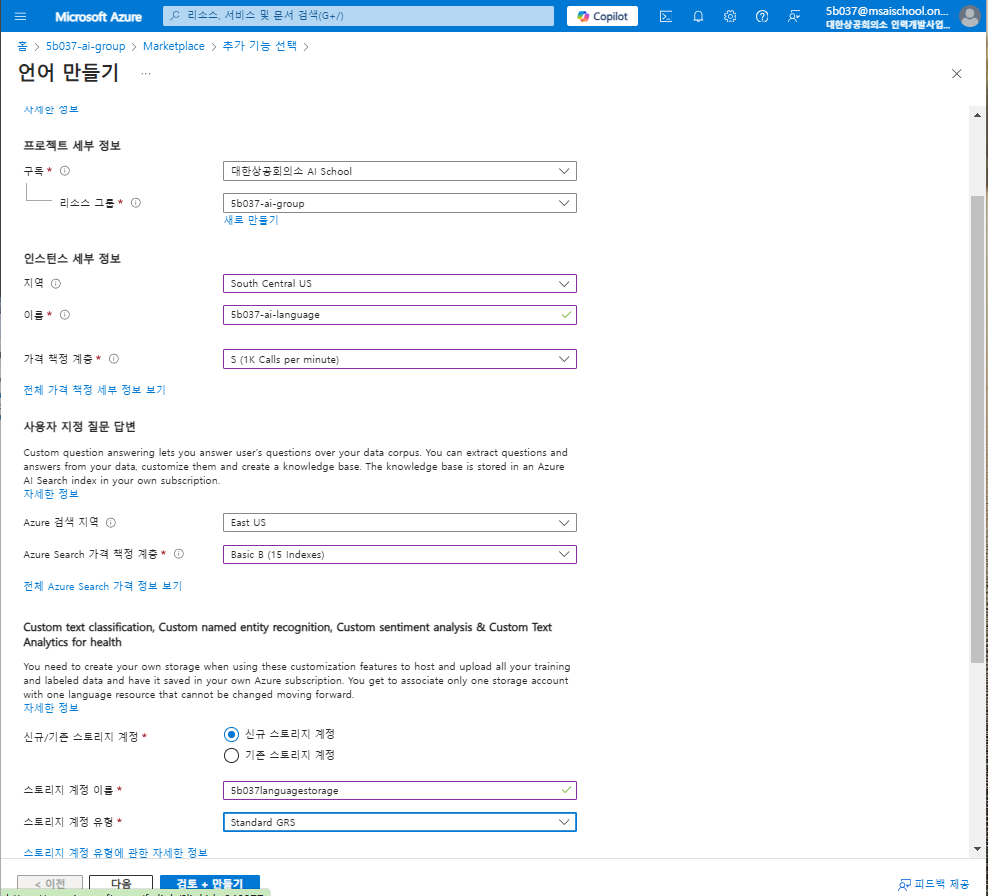
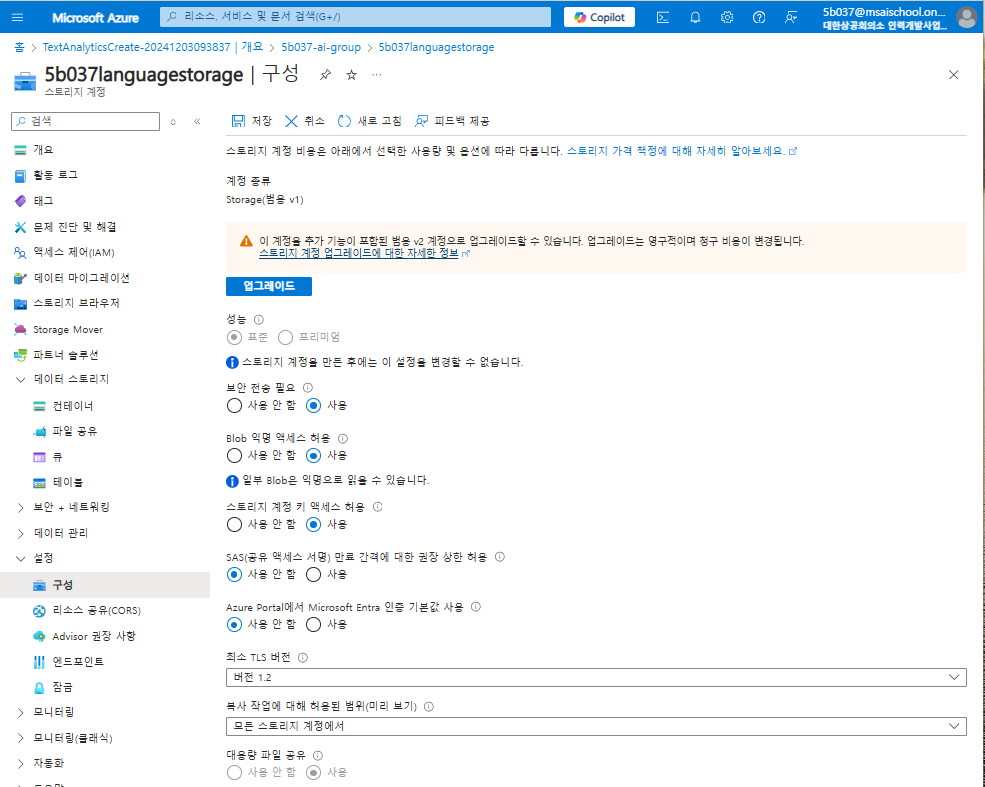
중간에 오류 떠서 봤는데 가격 책정을 basic으로 해서 유효성 검사에 막혔다..
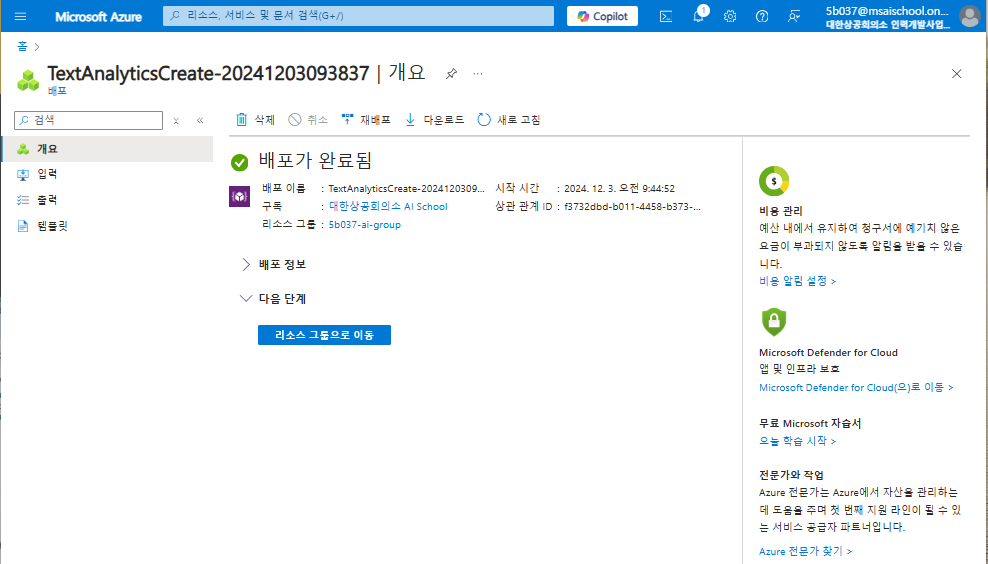
가격 책정을 standard로 해줘서 만들었다.
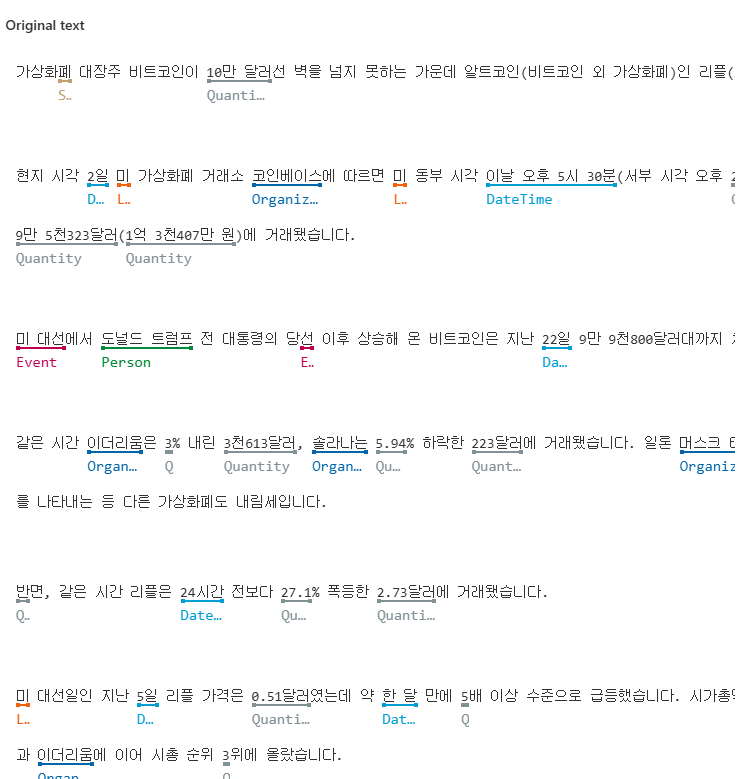
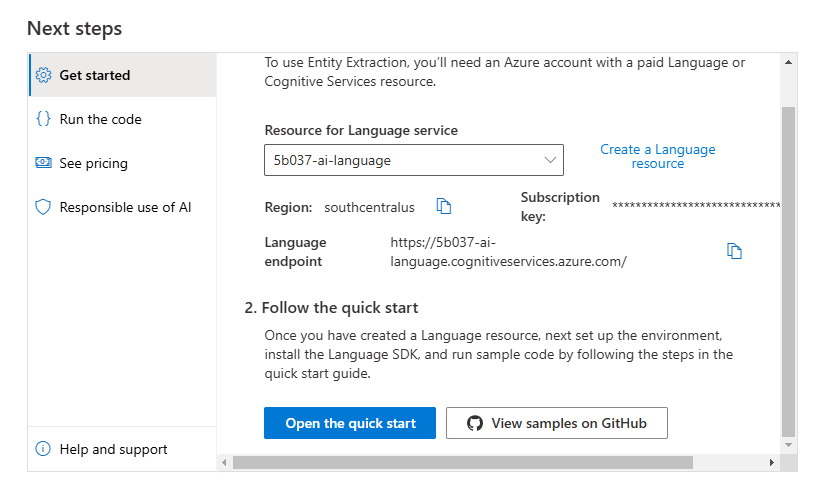
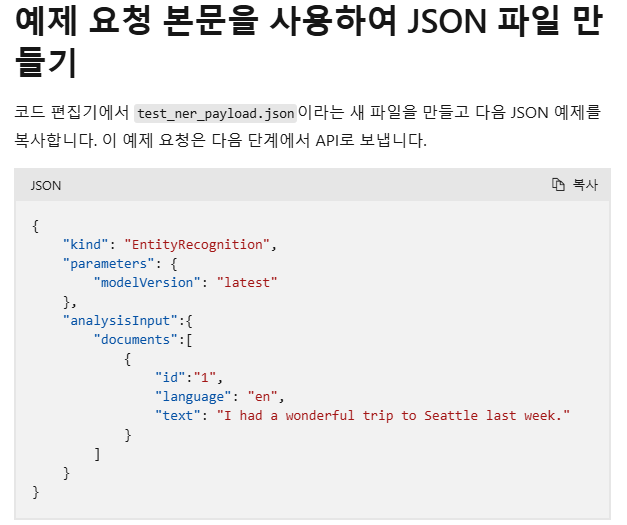

import requests
import uuid

def request_ner(text):
    endpoint = "https://5b037-ai-language.cognitiveservices.azure.com/language/:analyze-text?api-version=2022-05-01"

    headers = {
        "Content-type":'application/json',
        "Ocp-Apim-Subscription-Key":'8MZlH36Q58HtW8ooY5VkO6CTeoDMMGCSqU0YBDnhGKYL30G6QCxTJQQJ99ALACLArgHXJ3w3AAAaACOGbCcS'
    }
    payload = {
        "kind": "EntityRecognition",
        "parameters": {
        "modelVersion": "latest"
        },
        "analysisInput":{
            "documents":[
                {
                    "id": str(uuid.uuid4()),
                    "language": "ko",
                    "text": text
                },
                {
                    "id": str(uuid.uuid4()),
                    "language": "ko",
                    "text": text
                },
                {
                    "id": str(uuid.uuid4()),
                    "language": "ko",
                    "text": text
                }
            ]
        }
    }

    response = requests.post(endpoint, headers=headers, json=payload)

    return response.json()

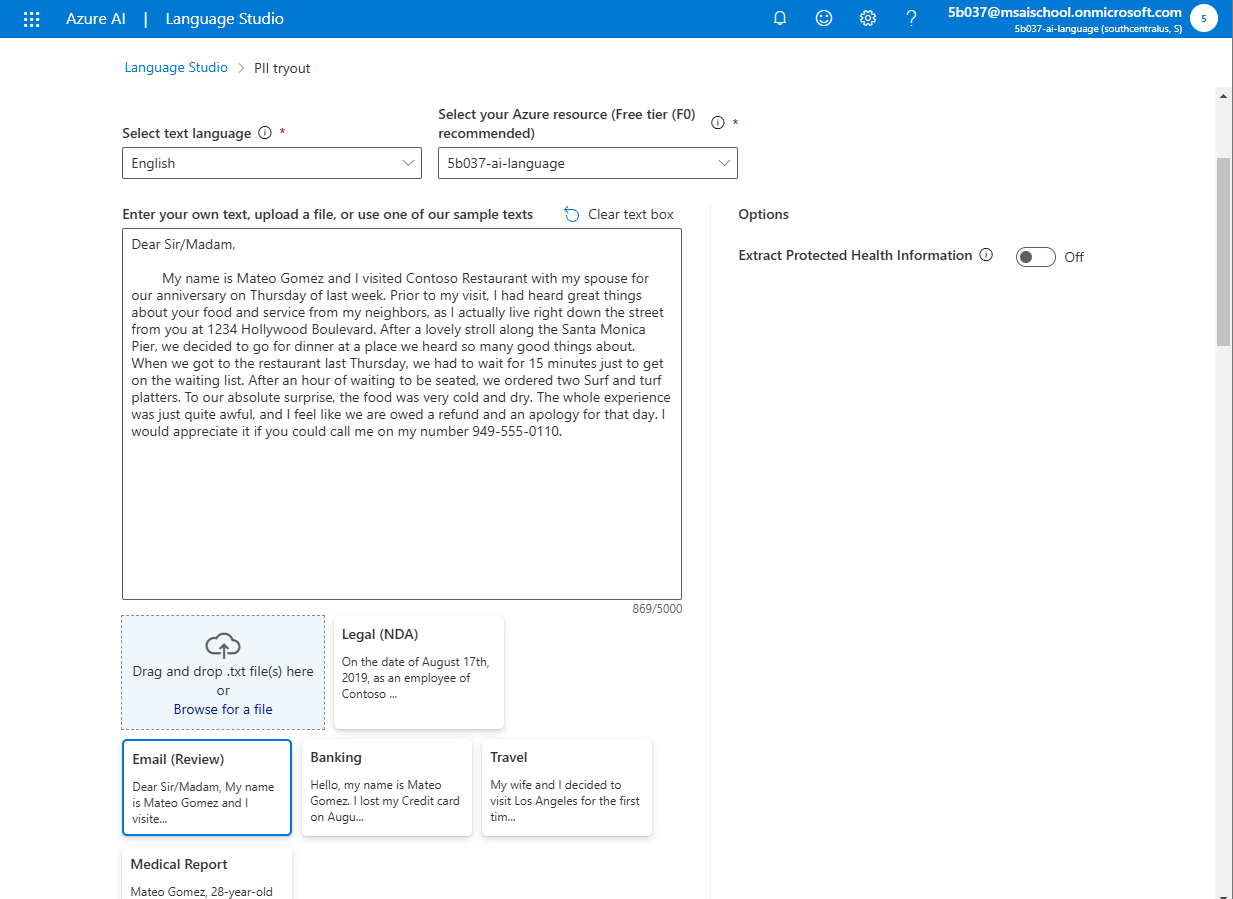
request_ner("""
            안녕하세요. 어제 소불고기덮밥 맛있었어요!
            """)
def request_pil(text):
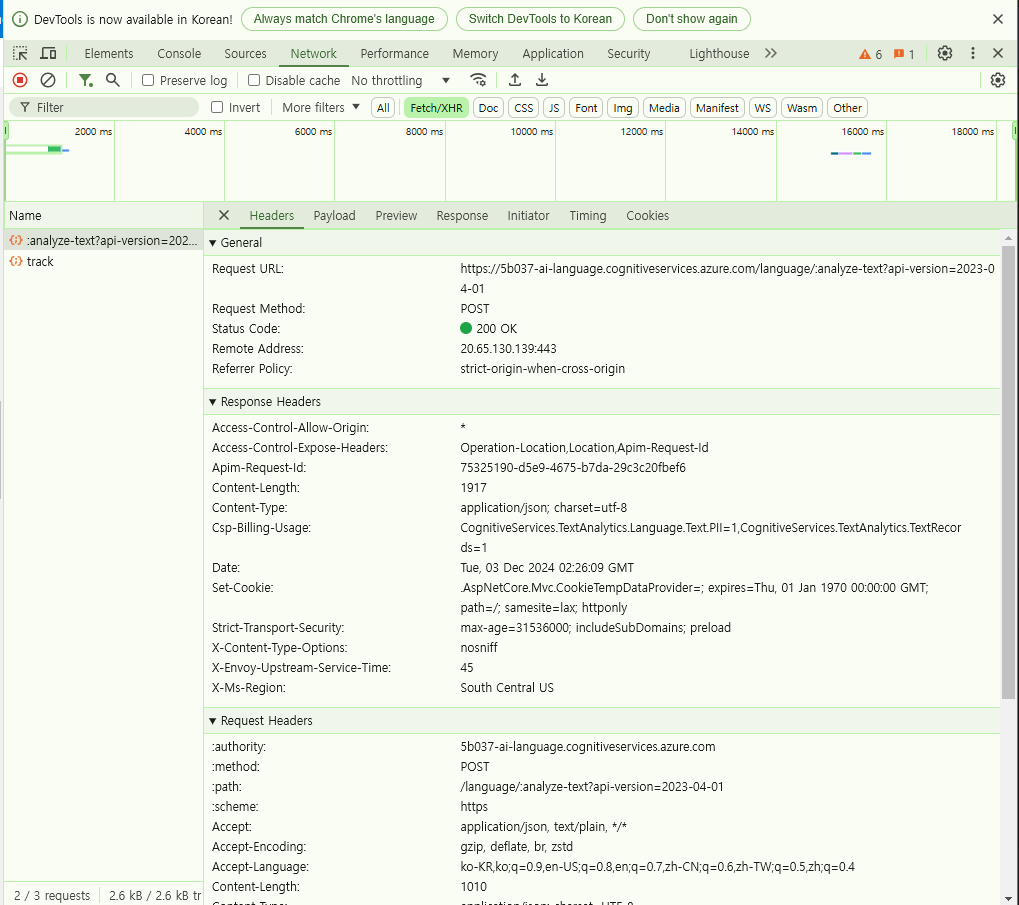
    endpoint = "https://5b037-ai-language.cognitiveservices.azure.com/language/:analyze-text?api-version=2023-04-01"

    headers = {
        "Content-type":'application/json',
        "Ocp-Apim-Subscription-Key":'8MZlH36Q58HtW8ooY5VkO6CTeoDMMGCSqU0YBDnhGKYL30G6QCxTJQQJ99ALACLArgHXJ3w3AAAaACOGbCcS'
    }
    payload = {
        "kind": "EntityRecognition",
        "parameters": {
        "modelVersion": "latest"
        },
        "analysisInput":{
            "documents":[
                {
                    "id": str(uuid.uuid4()),
                    "language": "ko",
                    "text": text
                },
                {
                    "id": str(uuid.uuid4()),
                    "language": "ko",
                    "text": text
                },
                {
                    "id": str(uuid.uuid4()),
                    "language": "ko",
                    "text": text
                }
            ]
        }
    }

    response = requests.post(endpoint, headers=headers, json=payload)

    return response.json()

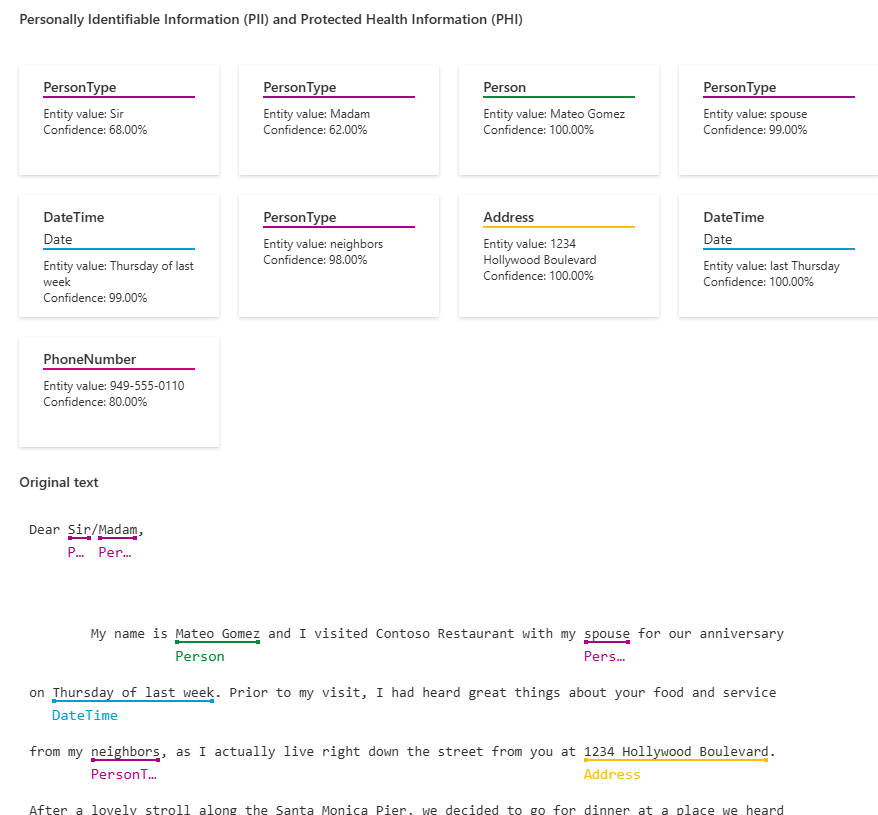
request_pil("""
            안녕하세요. 제 전화번호는 010-6270-9558입니다. 아버지.
            """)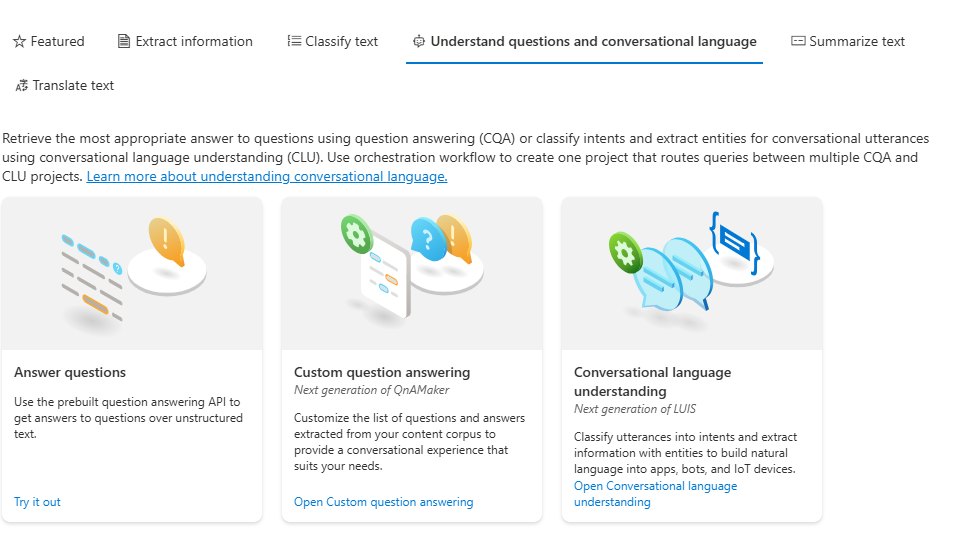
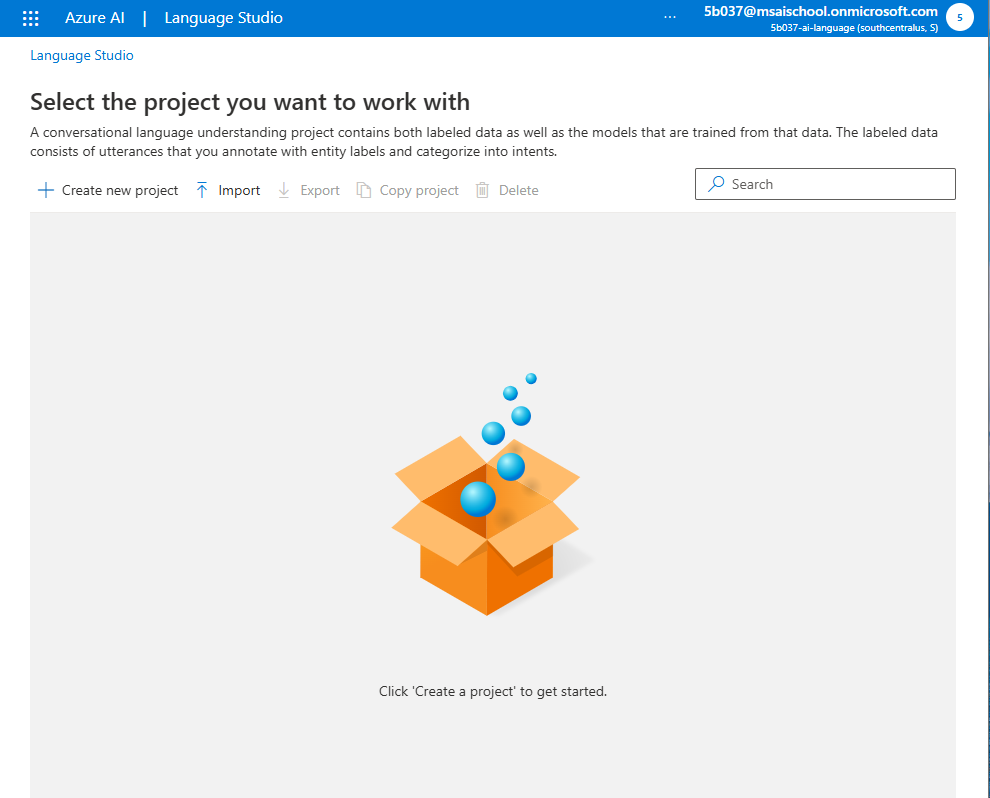
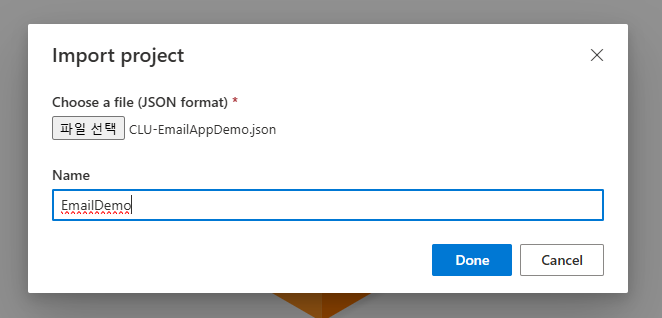
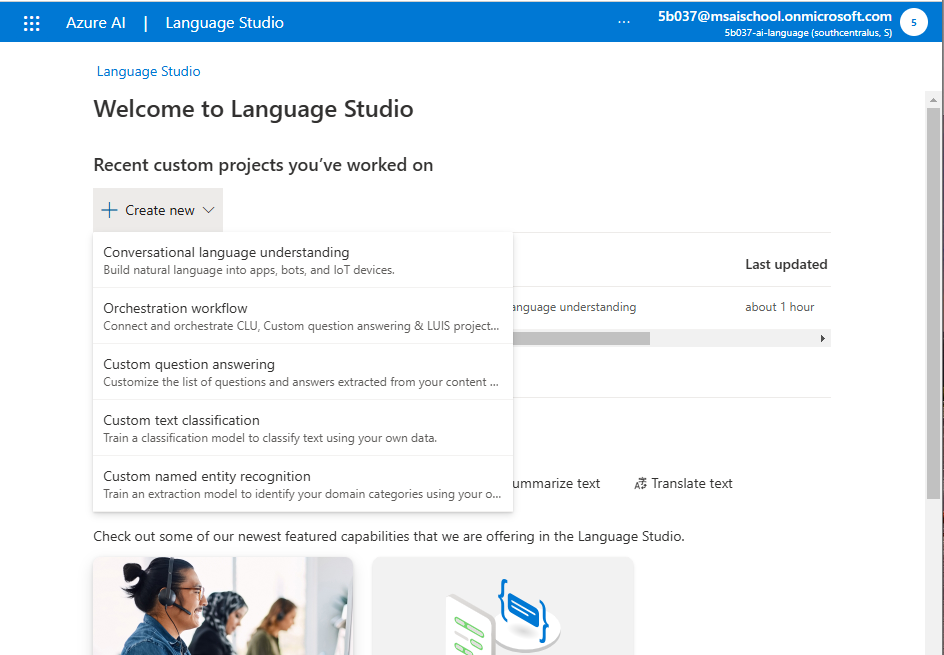
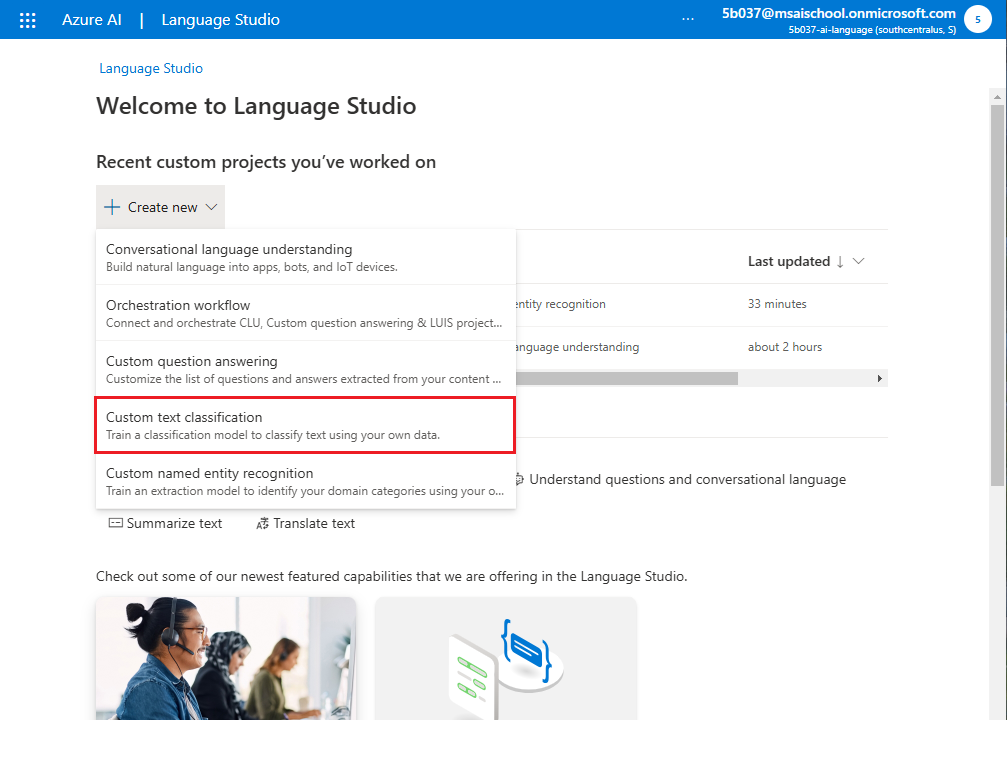
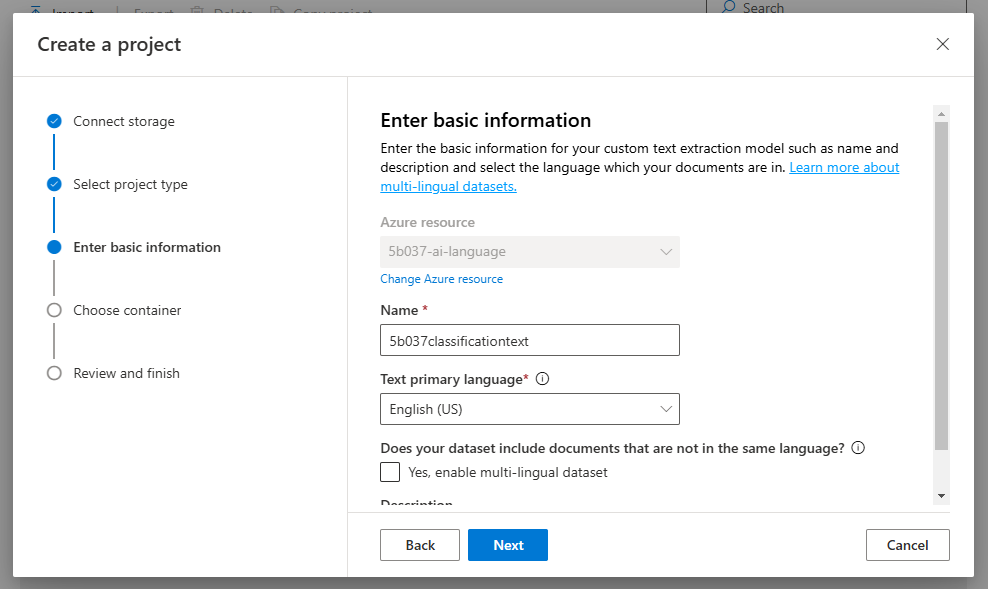
실습을 위해 새로운 프로젝트를 생성해준다.
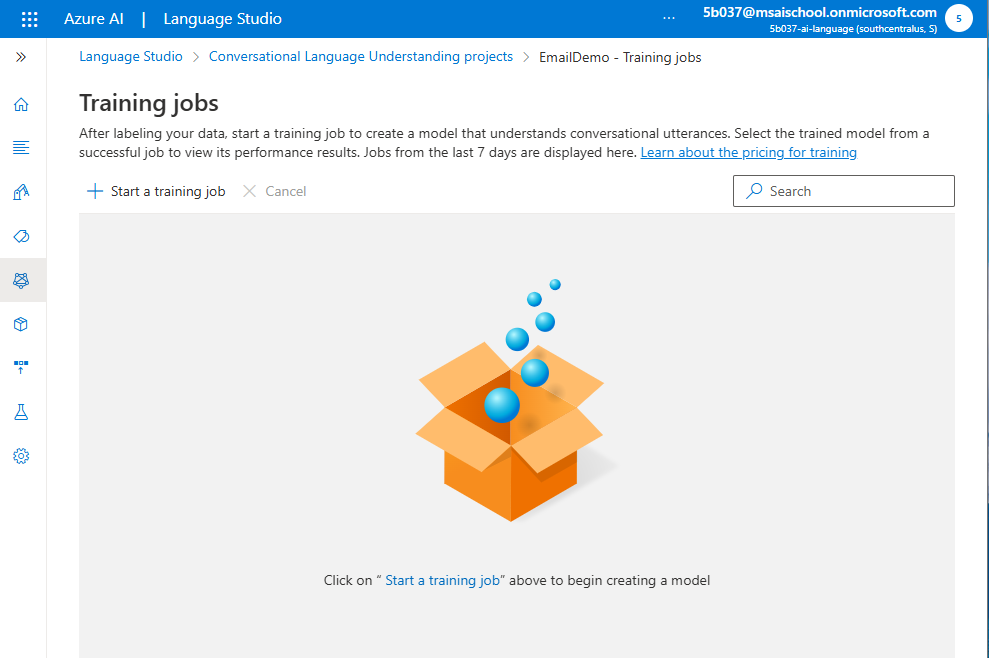
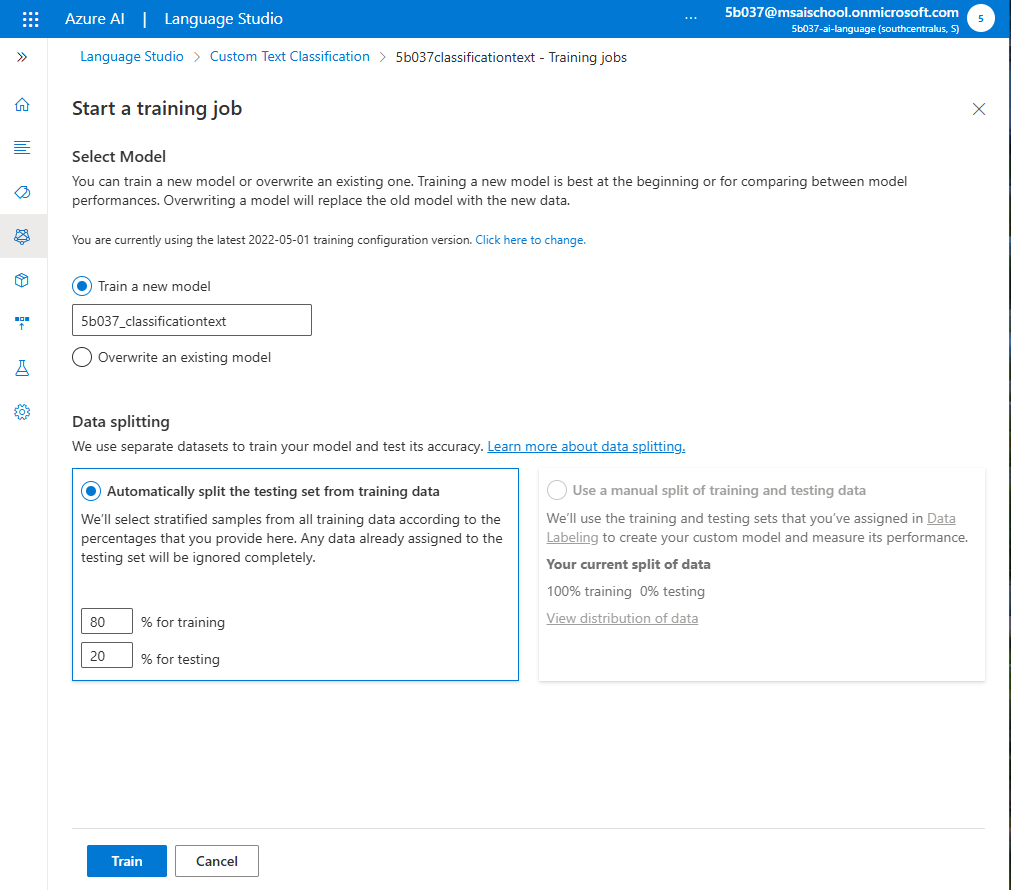
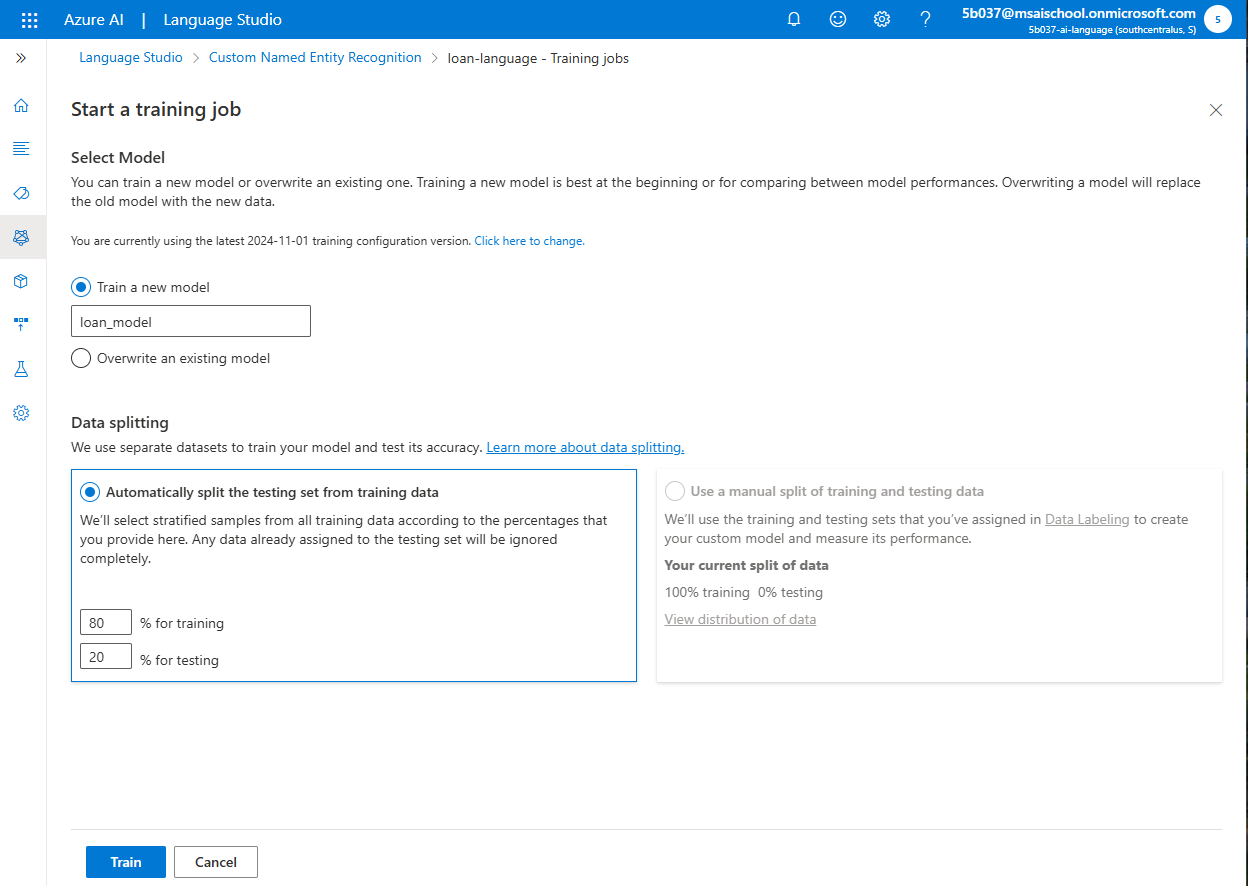
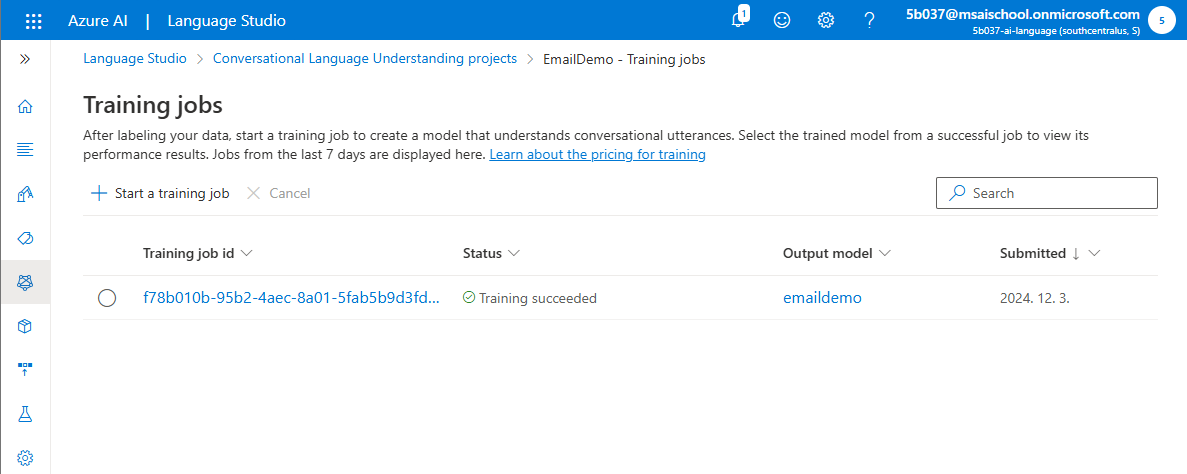
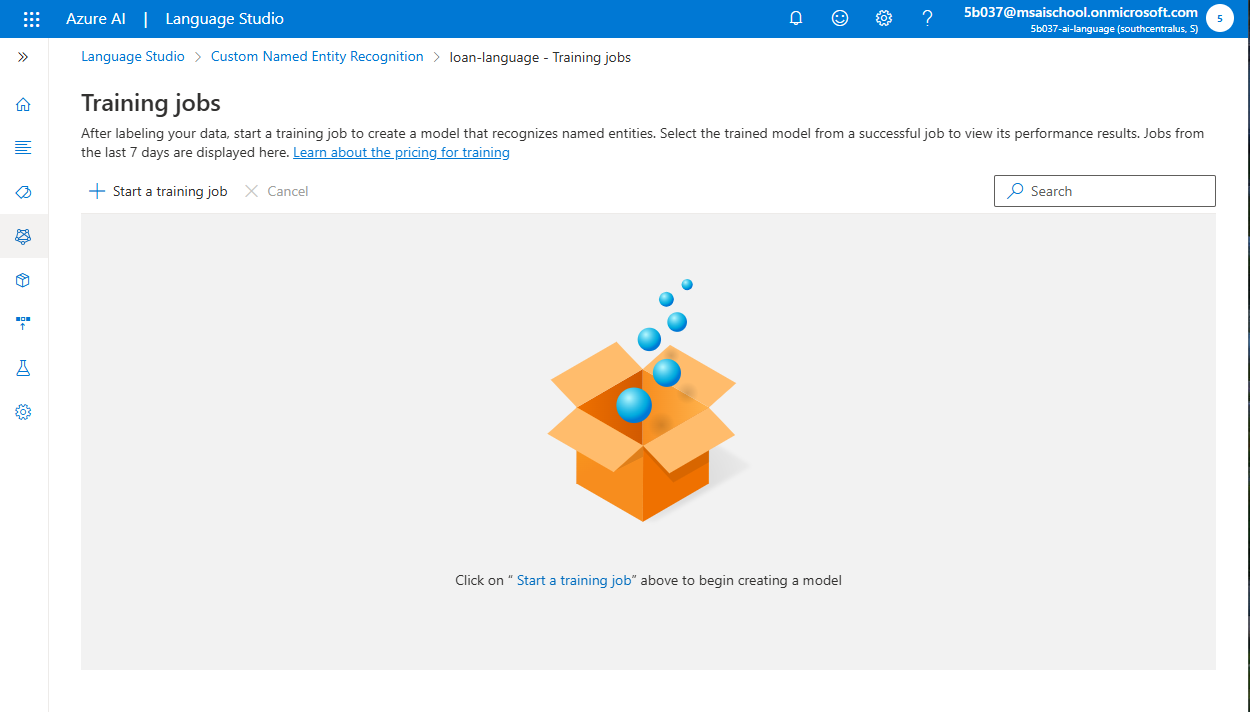
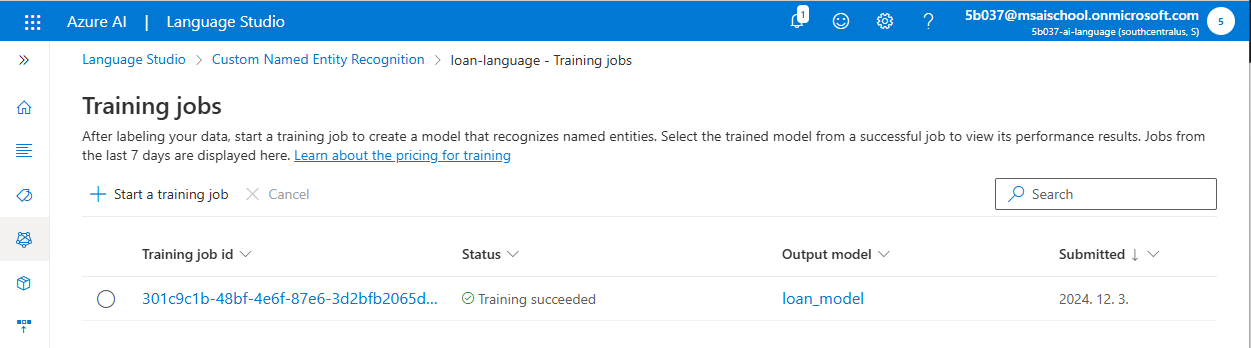
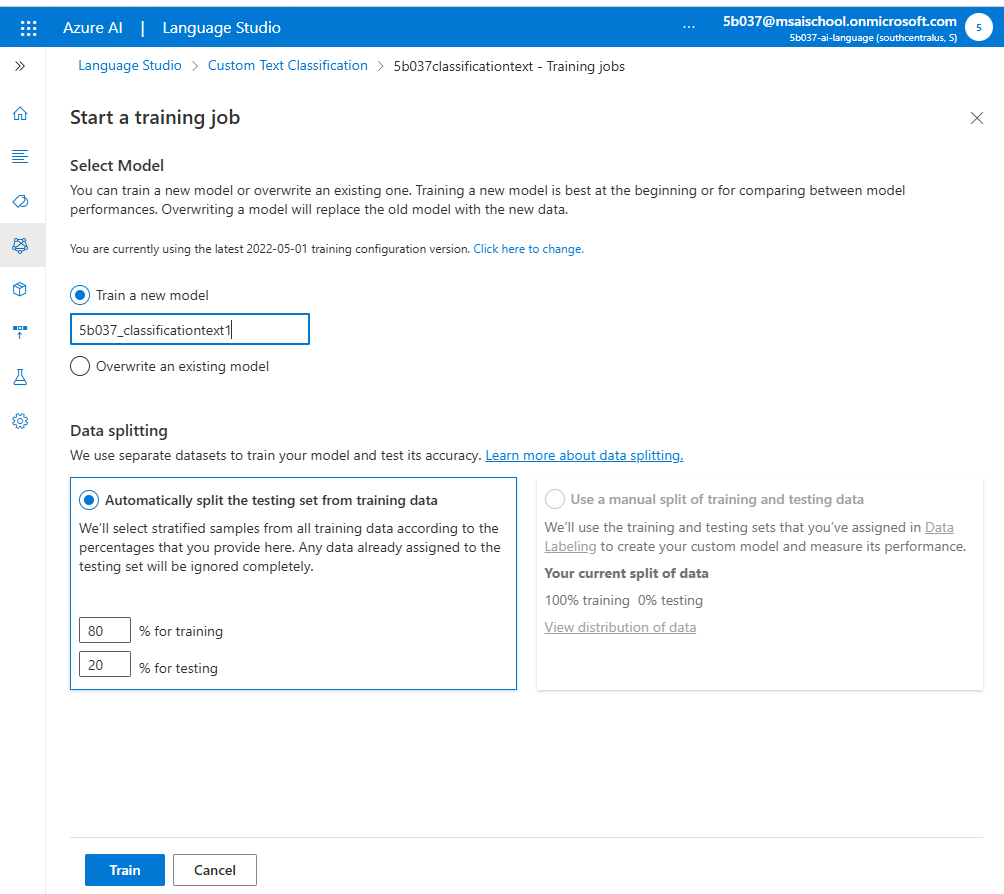
training jobs에 들어가서 start a training job을 클릭해서 모델을 학습해주자.
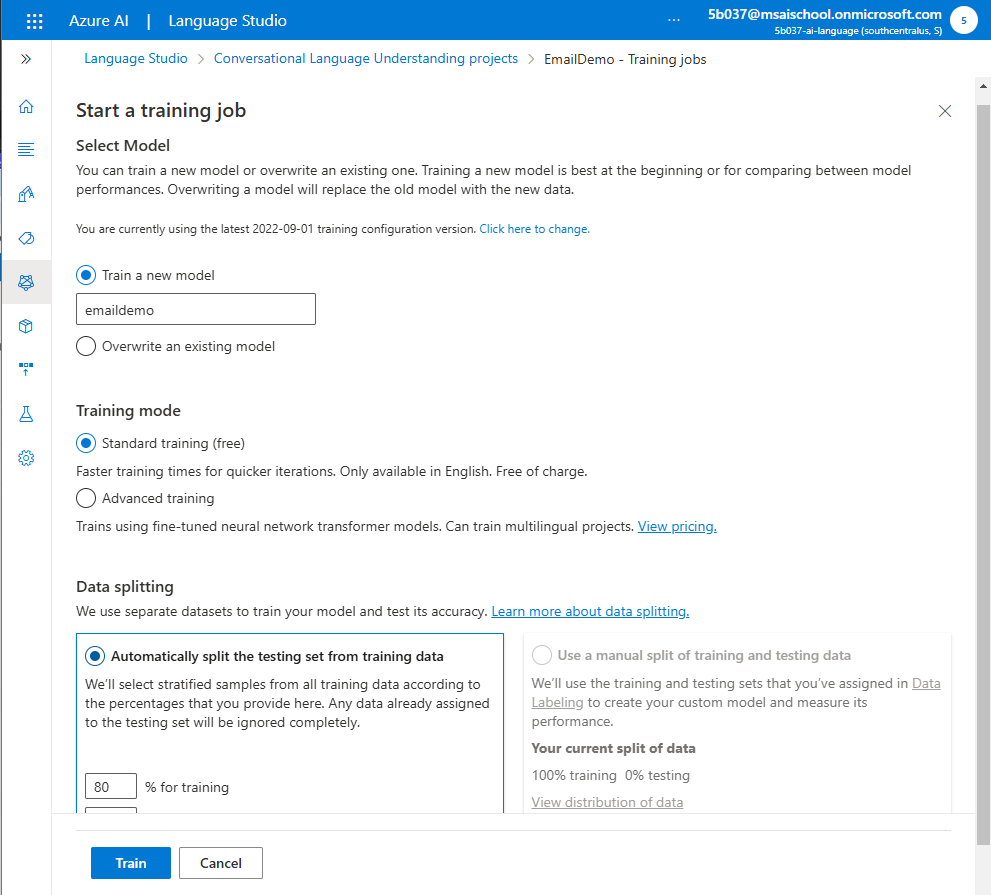
- 학습 모델명 지정
- Standard training (free) 선택. 무료 학습의 경우 영어만 지원
- 다국어 프로젝트의 경우 ‘Advanced training’ 선택
- 학습과 테스트를 위해서 데이터 split
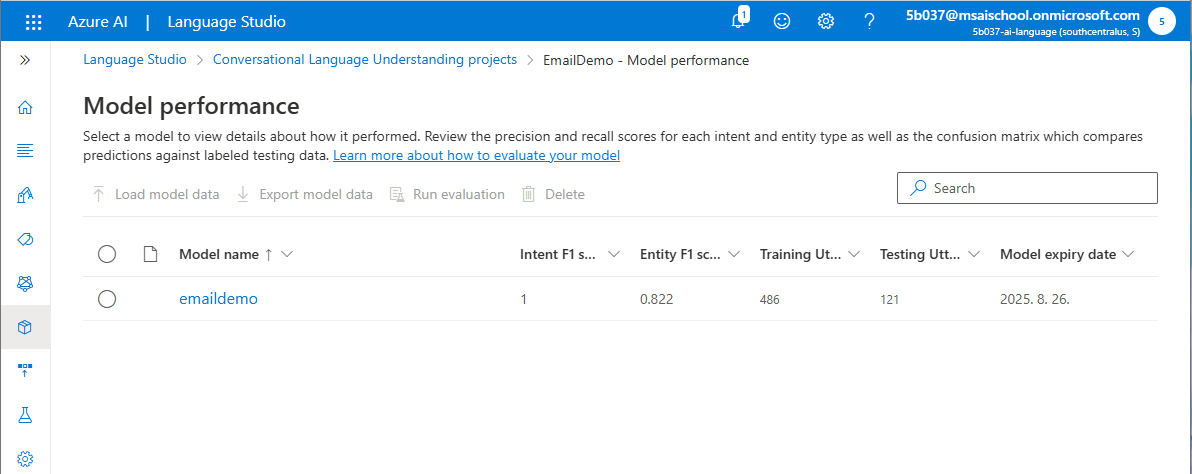
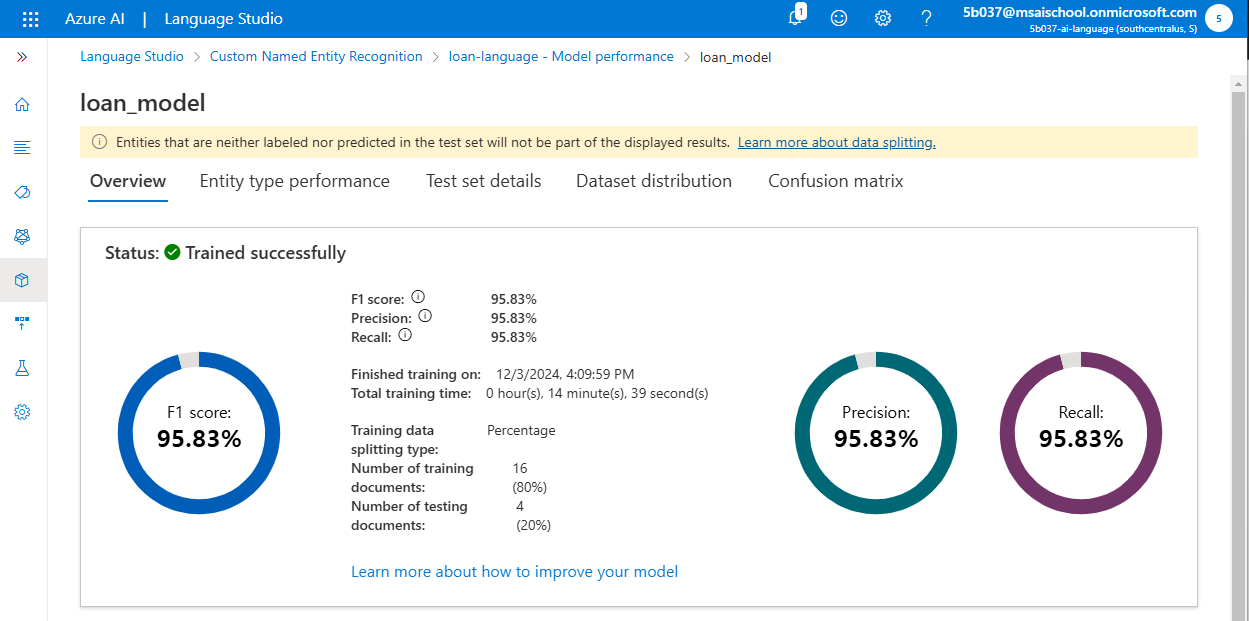
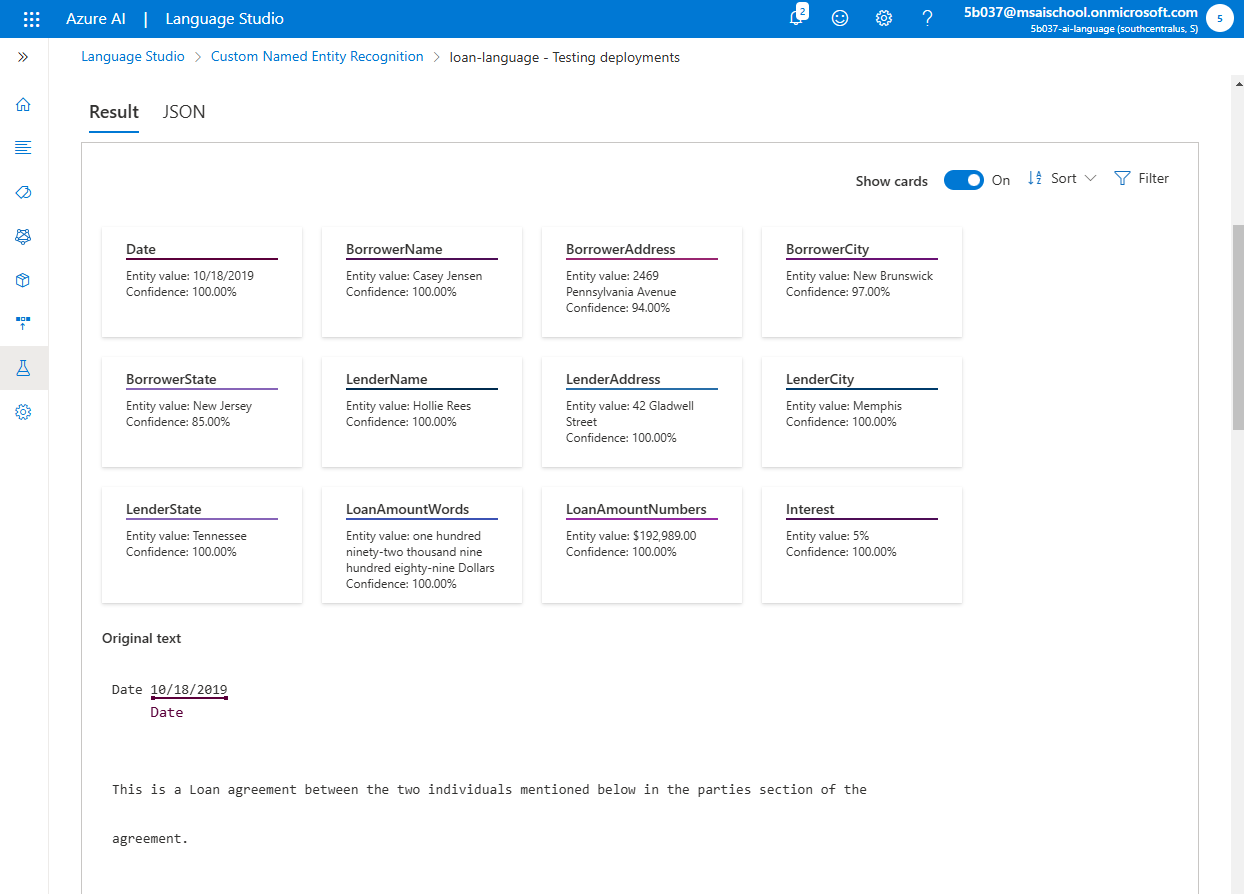
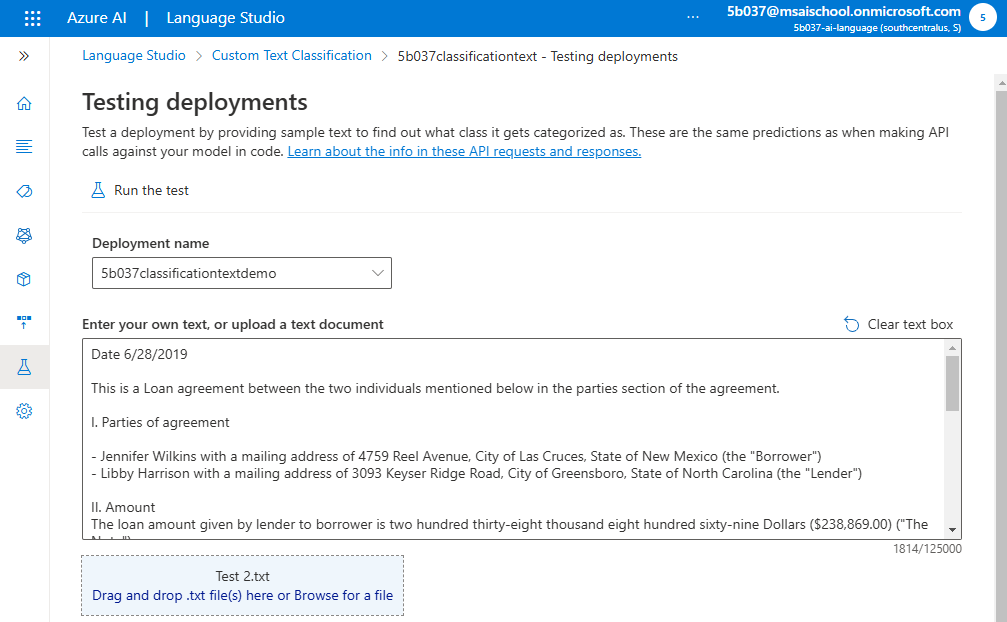
model performance에 들어가면 학습이 완료된 모델이 생성된다.
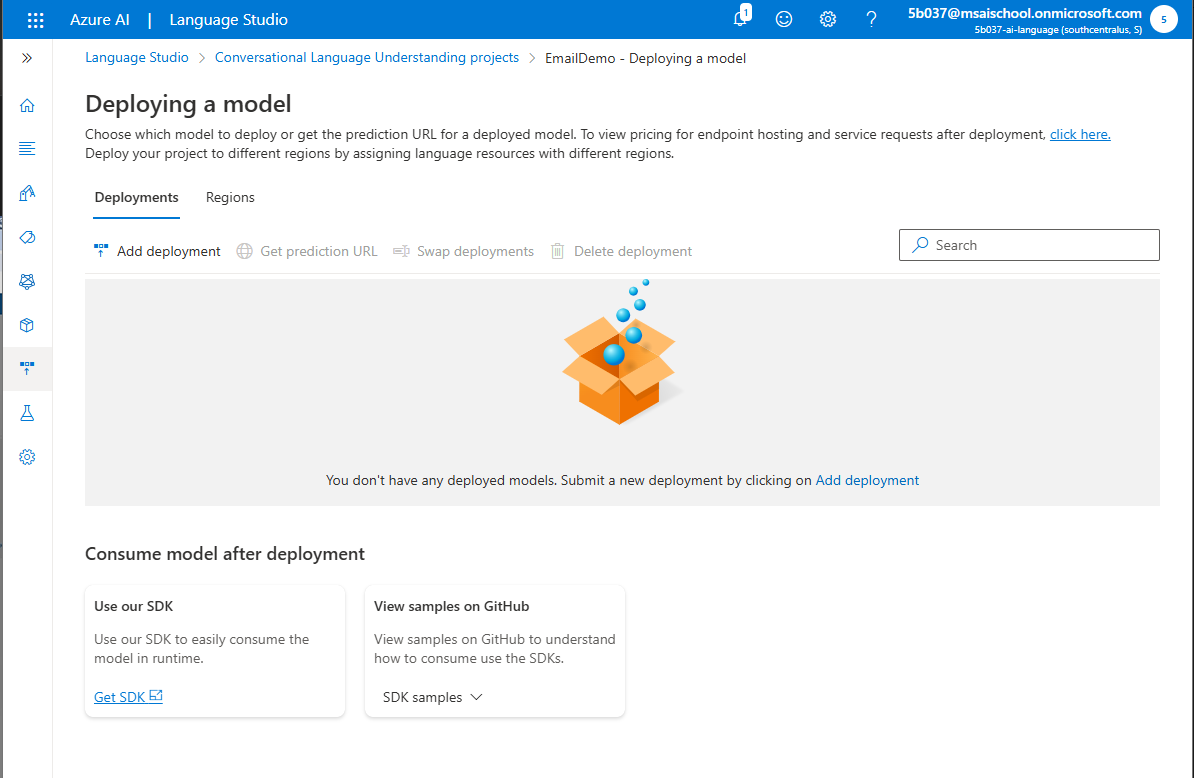
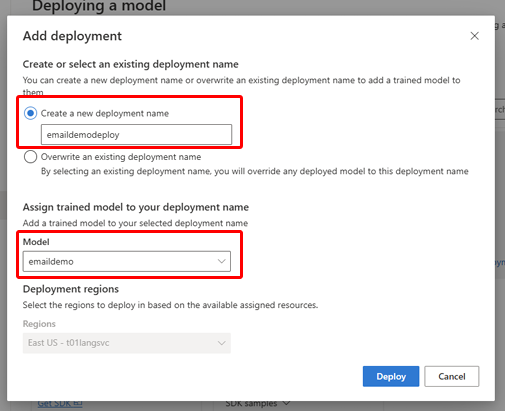

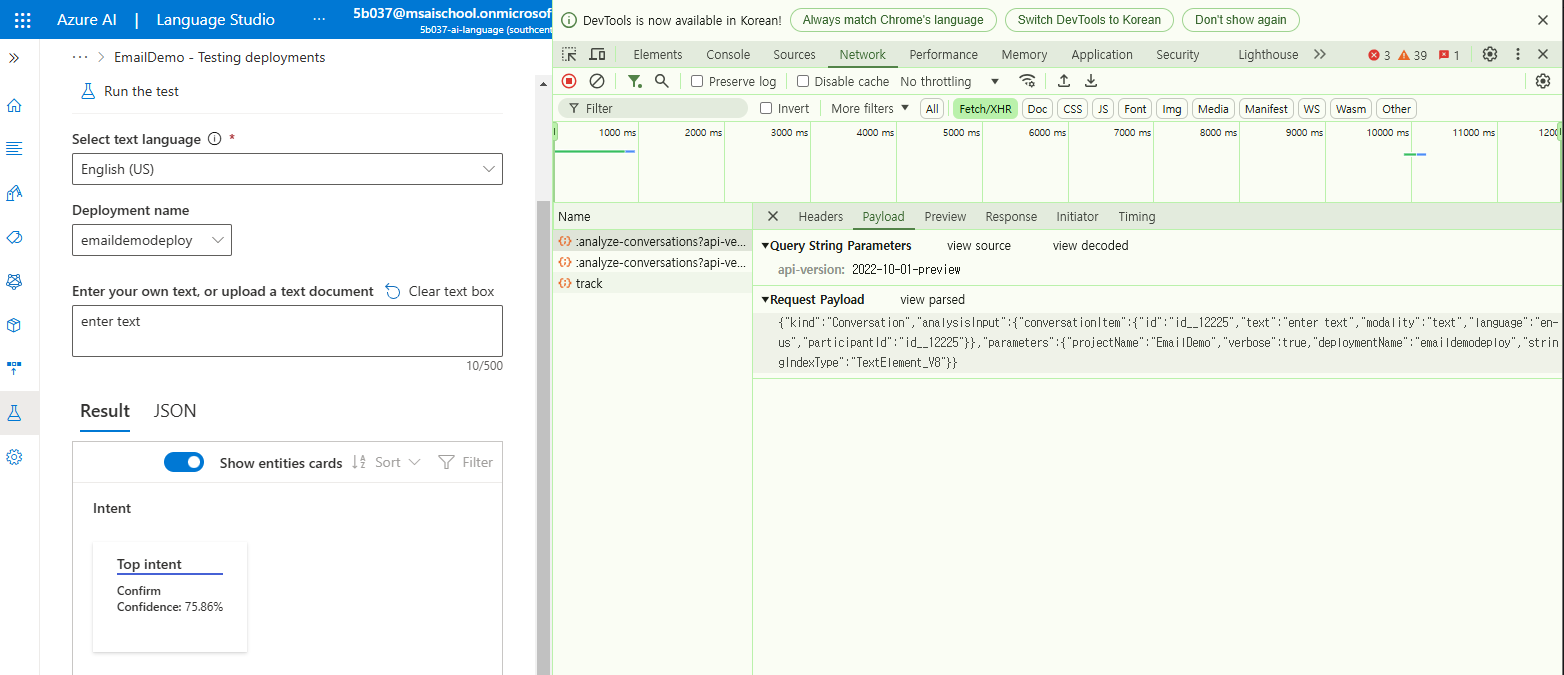
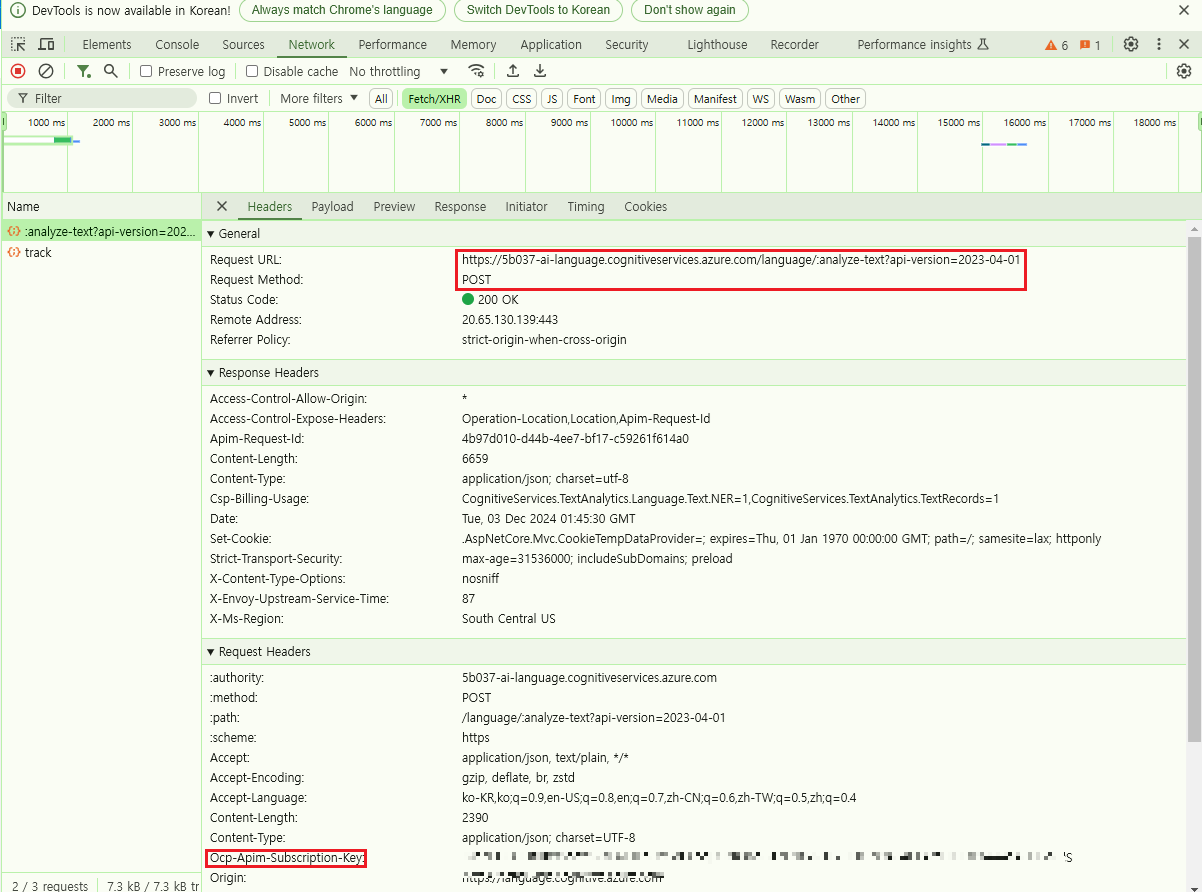
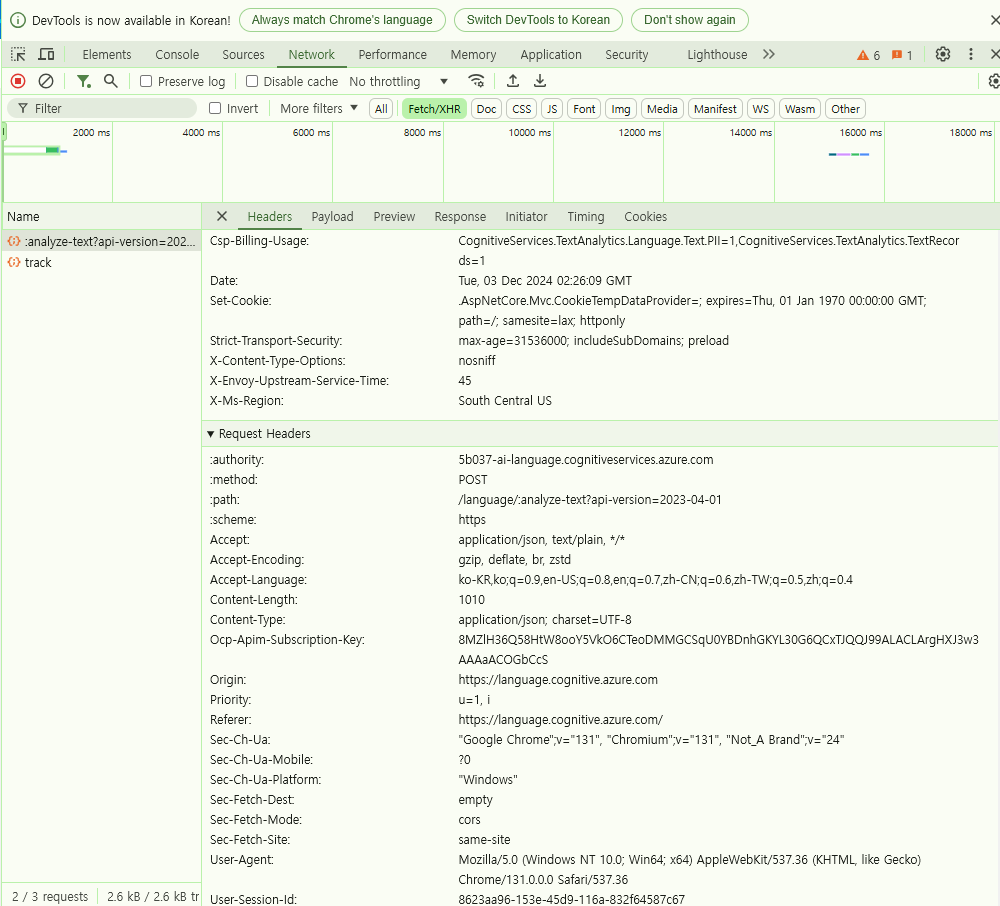
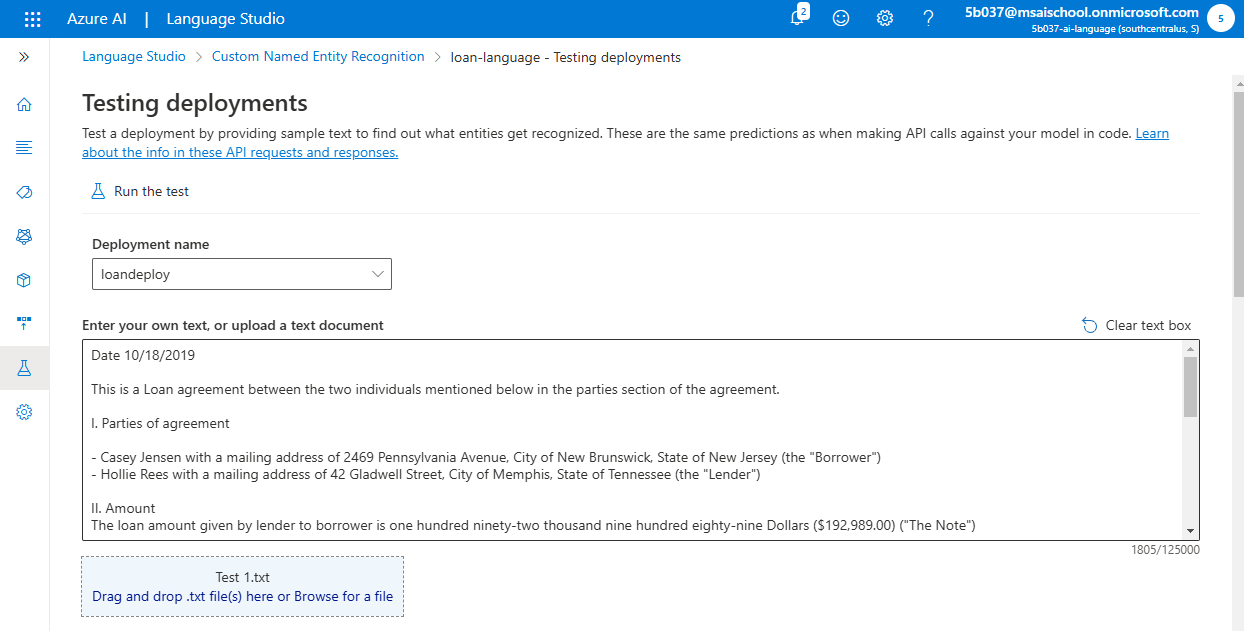
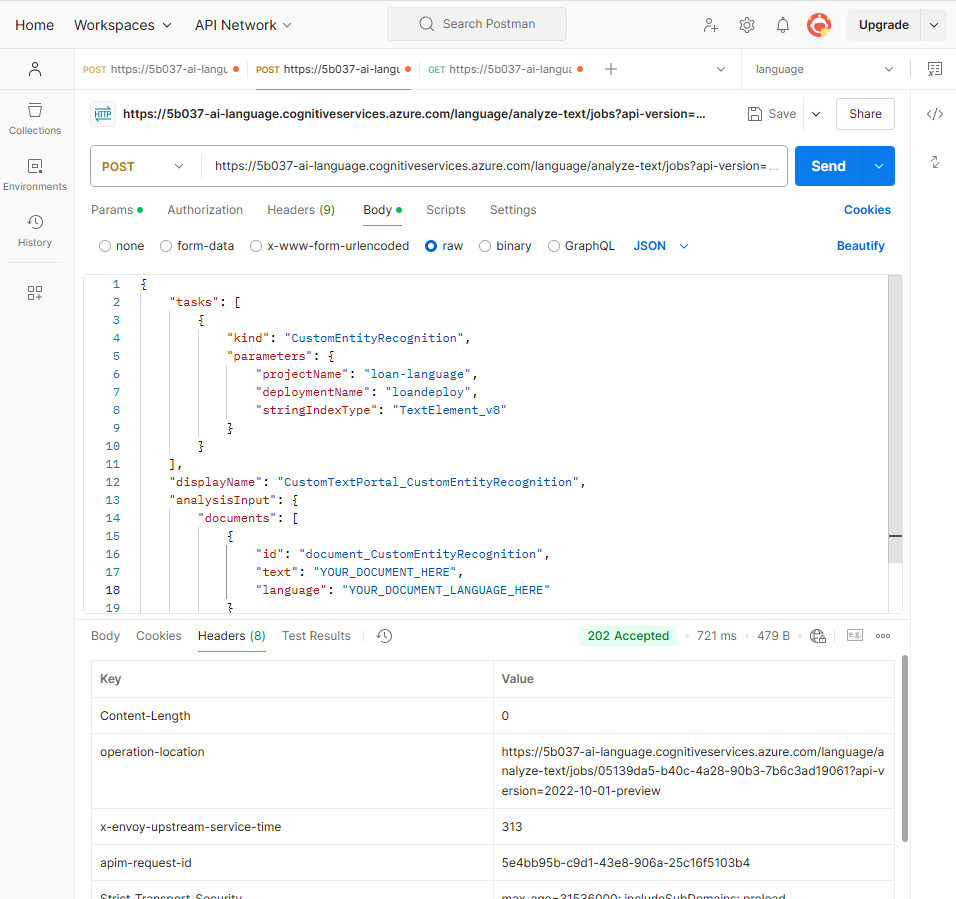
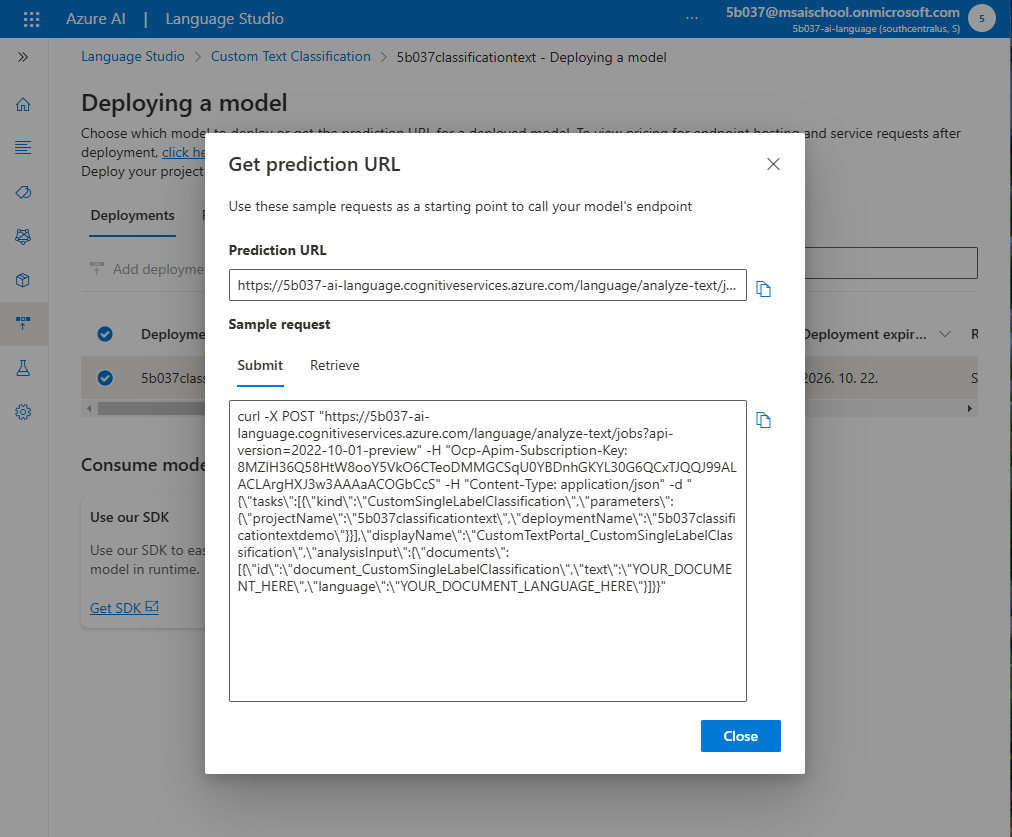
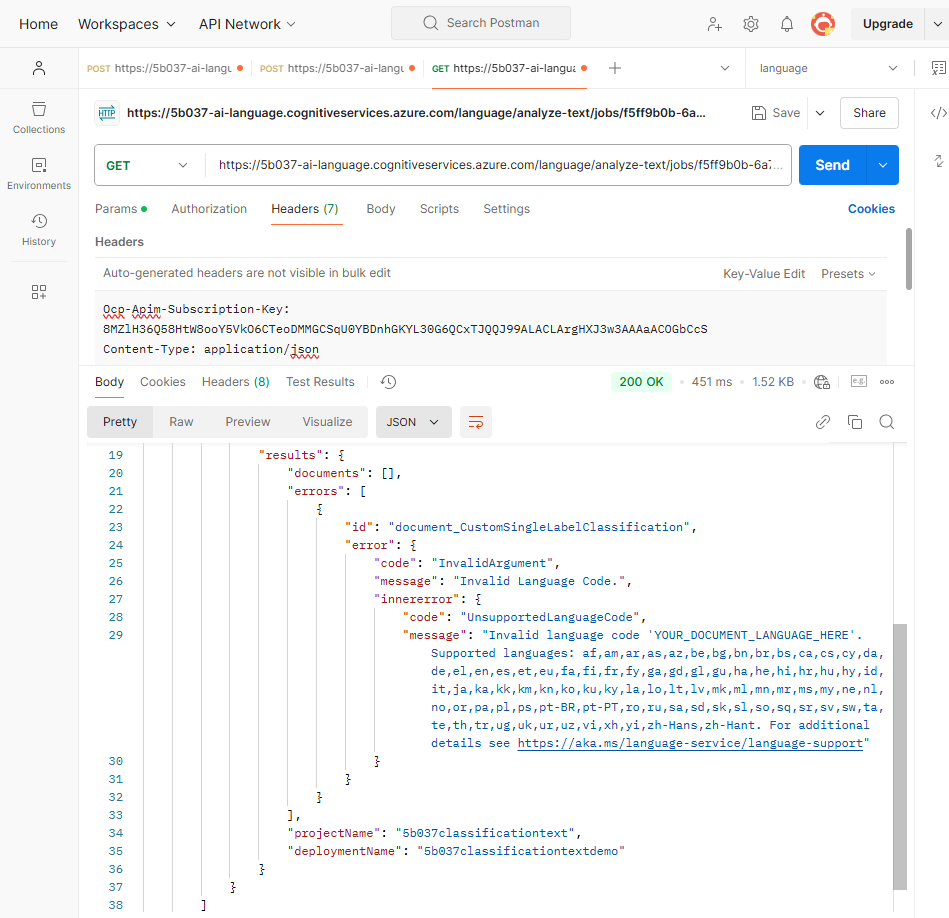
다른 방법으로 웹브라우저에서 정보를 가져올 수 있다.
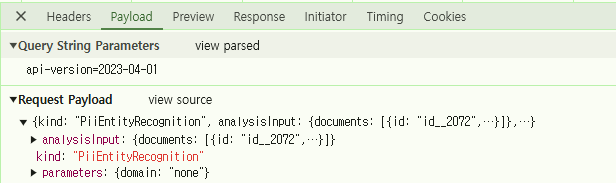
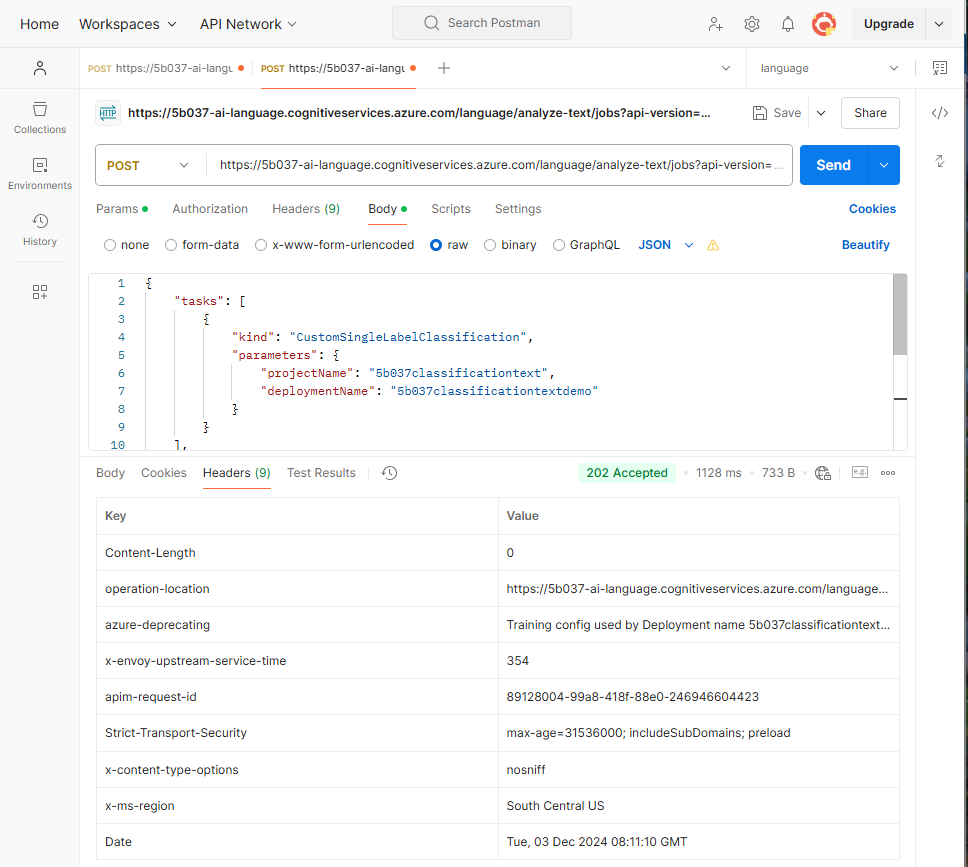
payload 부분에서 request payload를 복사해서 그대로 가져온다.
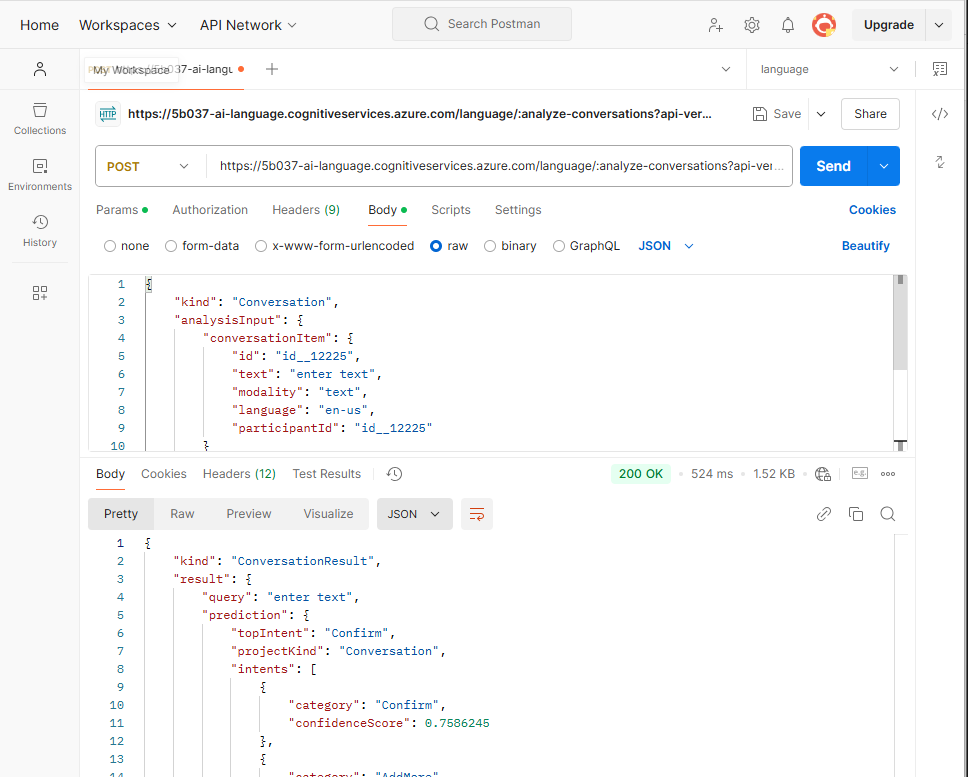
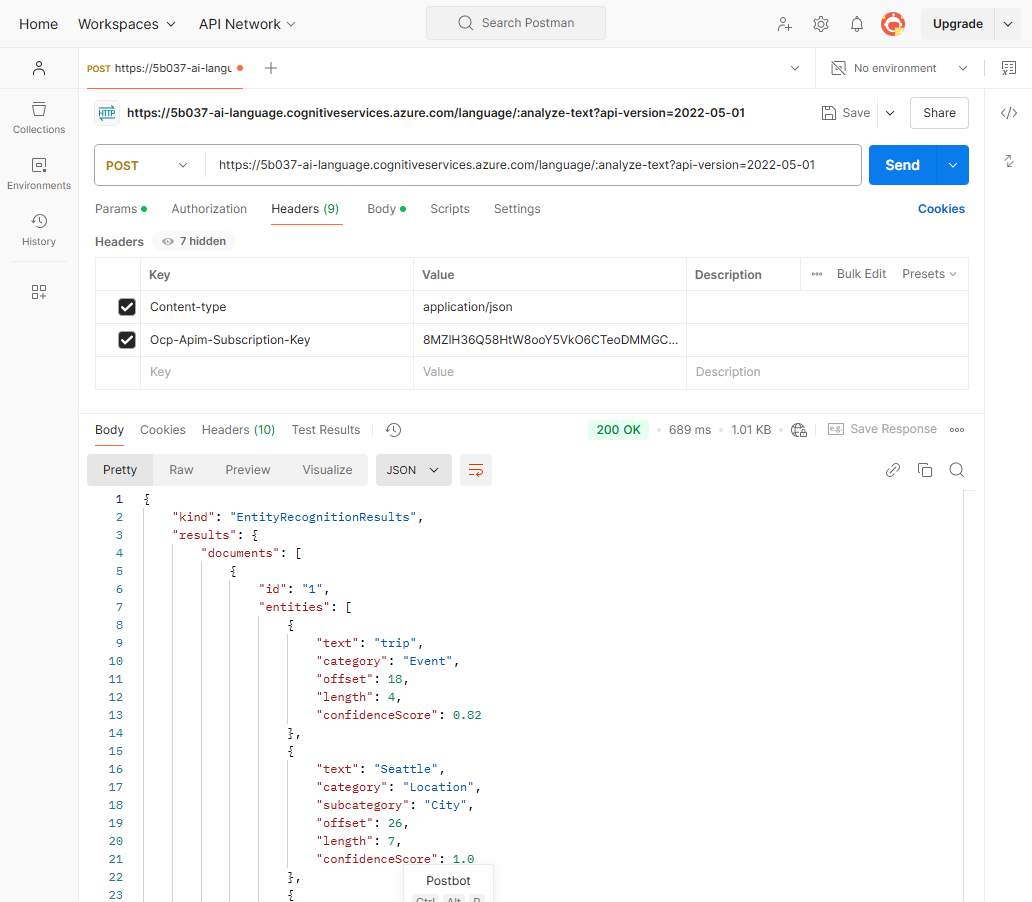
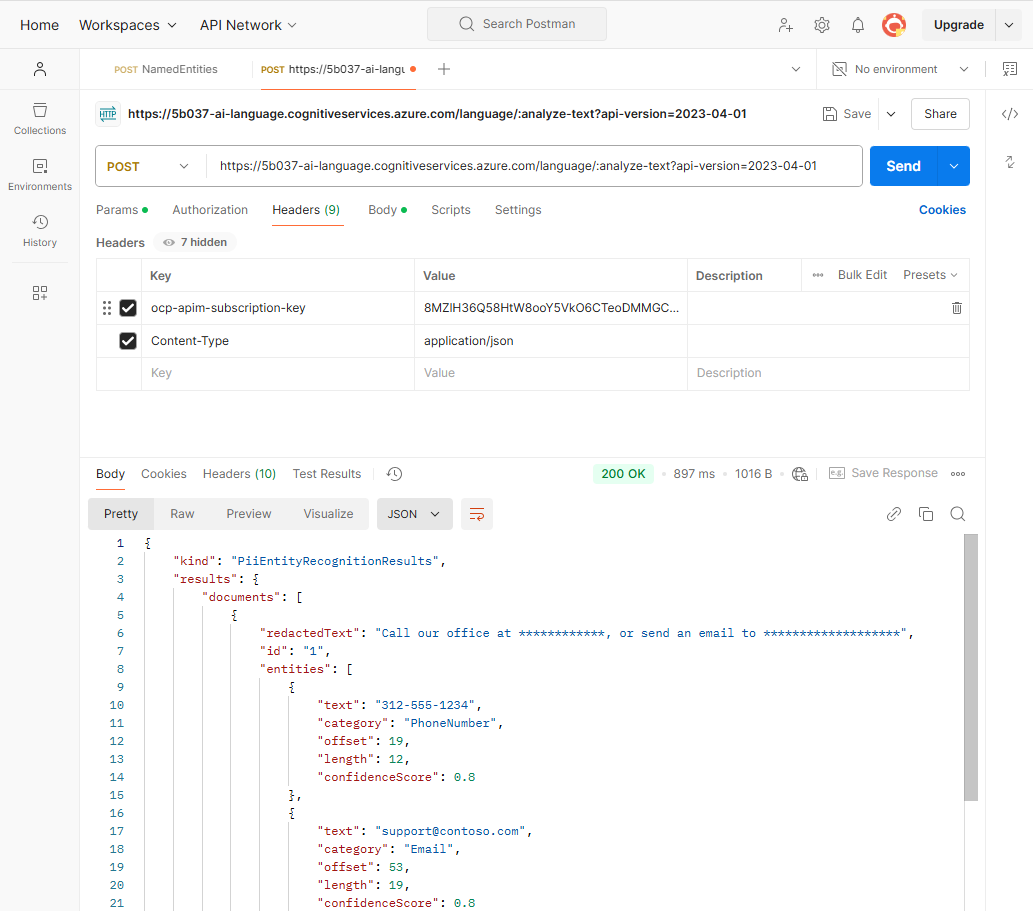
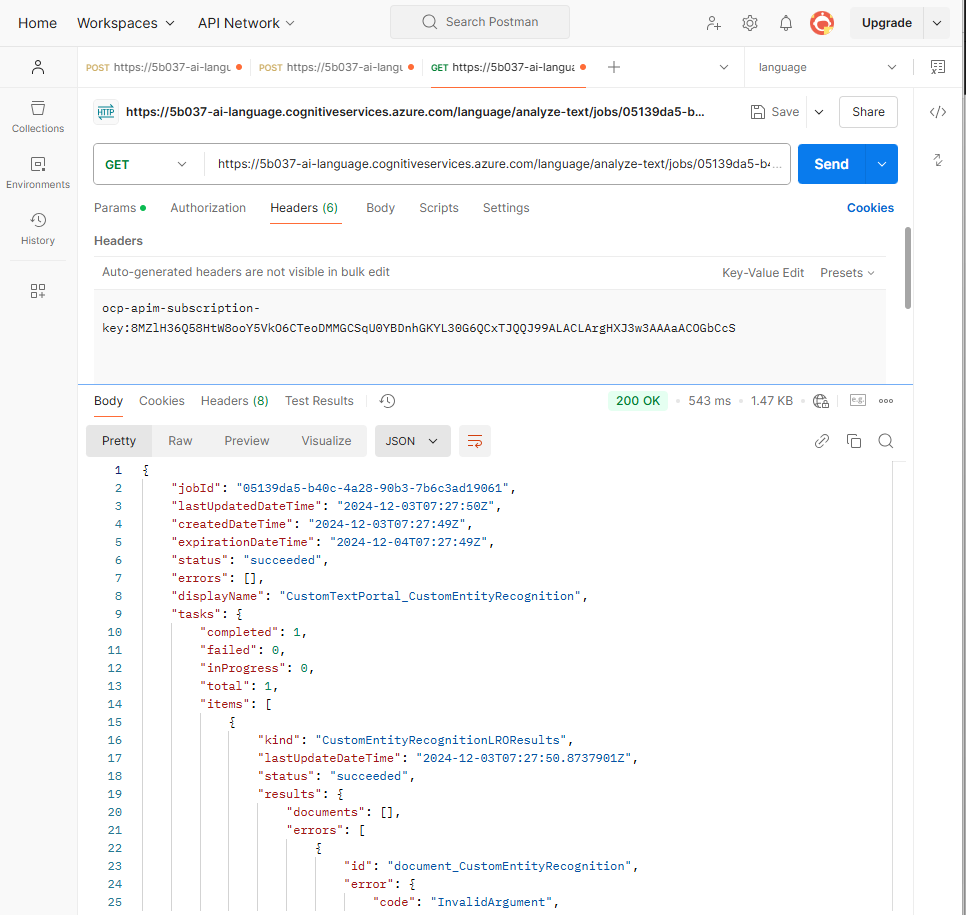
postman에서 rest api 호출을 테스트 했을 때 200으로 잘 호출 되는 것을 확인할 수 있다.
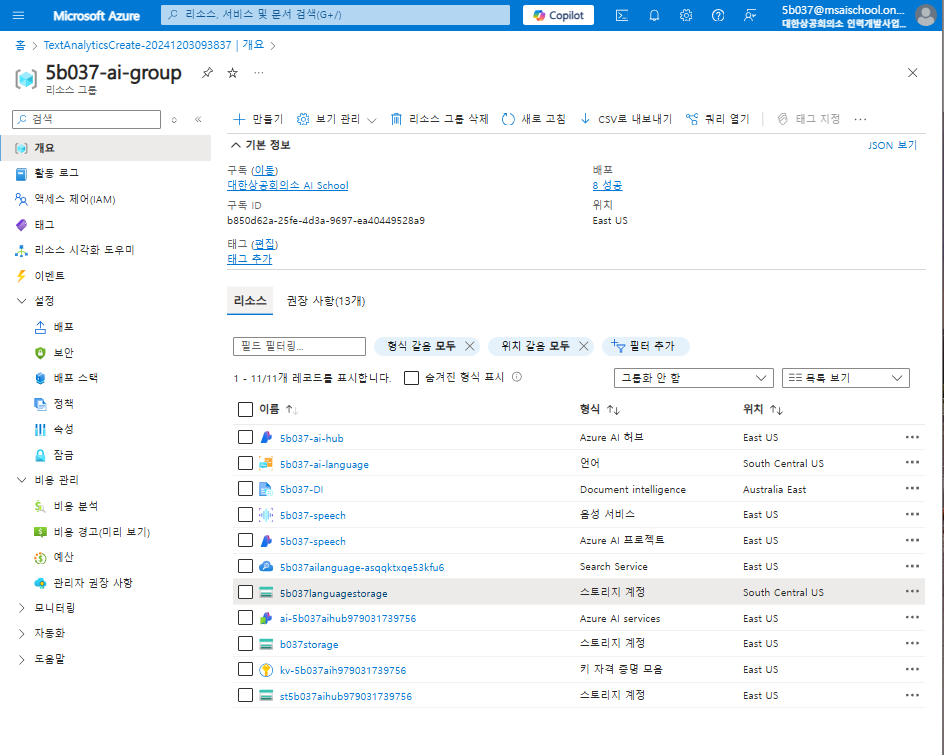
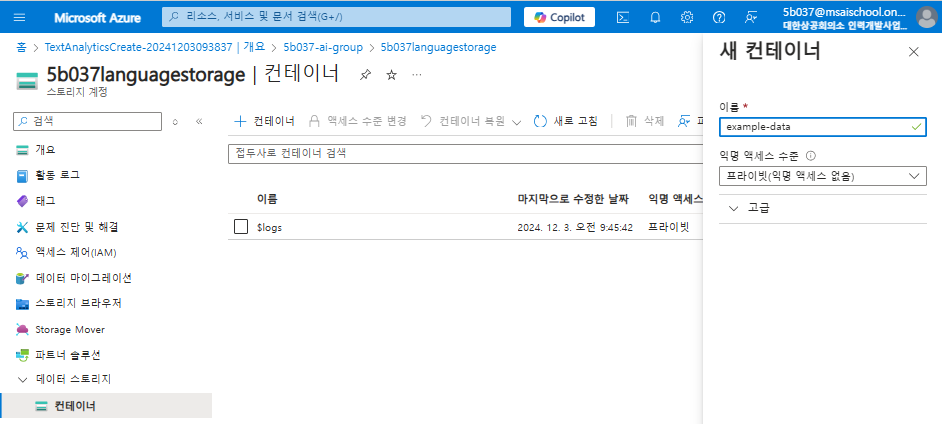
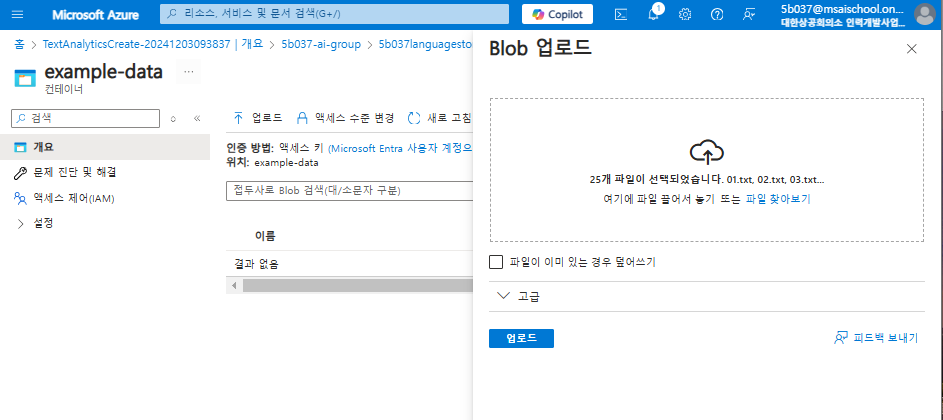
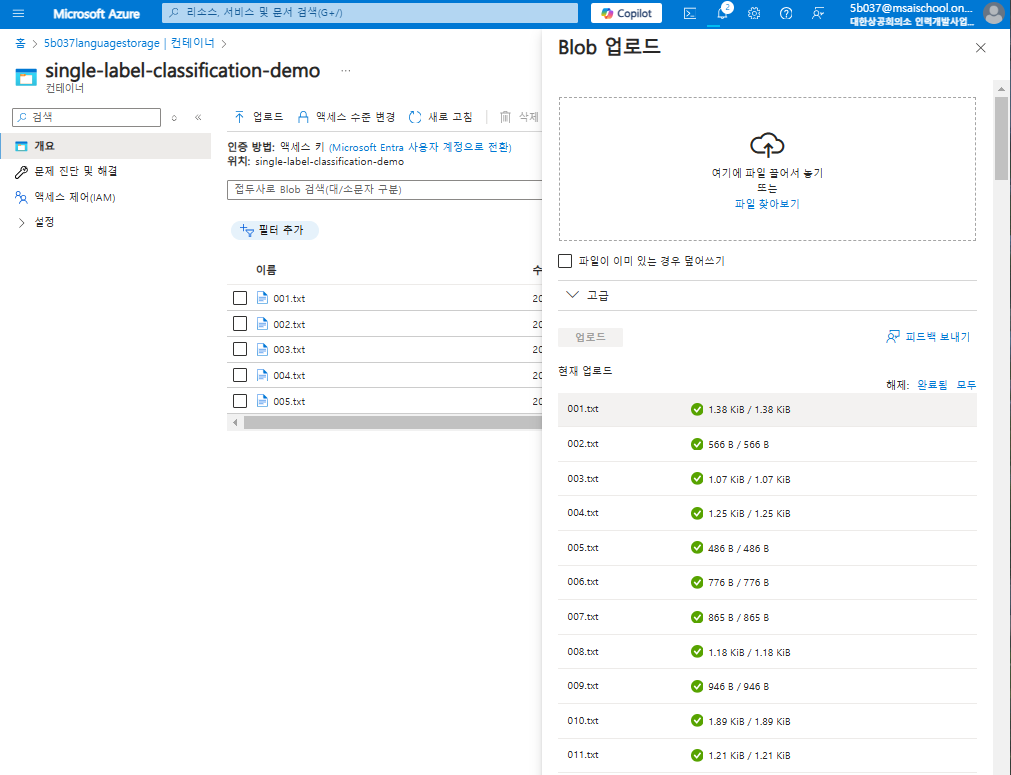
실습파일을 github에서 다운로드 받아서 blog storage에 업로드
cognitive-services-sample-data-files/language-service/Custom NER/CustomNER - LoanAgreements.zip at master · Azure-Samples/cogni
Cognitive Services sample data files. Contribute to Azure-Samples/cognitive-services-sample-data-files development by creating an account on GitHub.
github.com
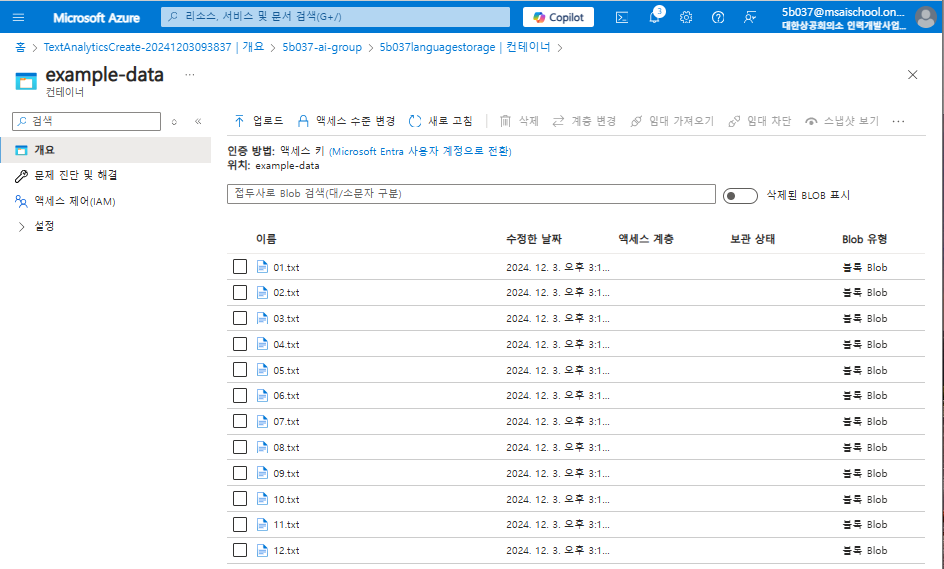
Gitbub에서 받은 zip 파일을 로컬에 압축풀고, json과 txt 파일들을 모두 업로드
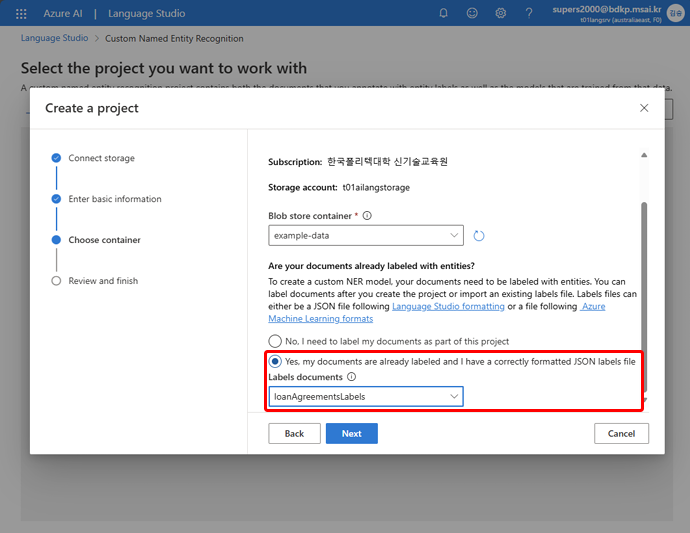

프로젝트 생성시 왼쪽 처럼 json 파일이 로딩되어 나타나야하는데 나타나지 않았다.
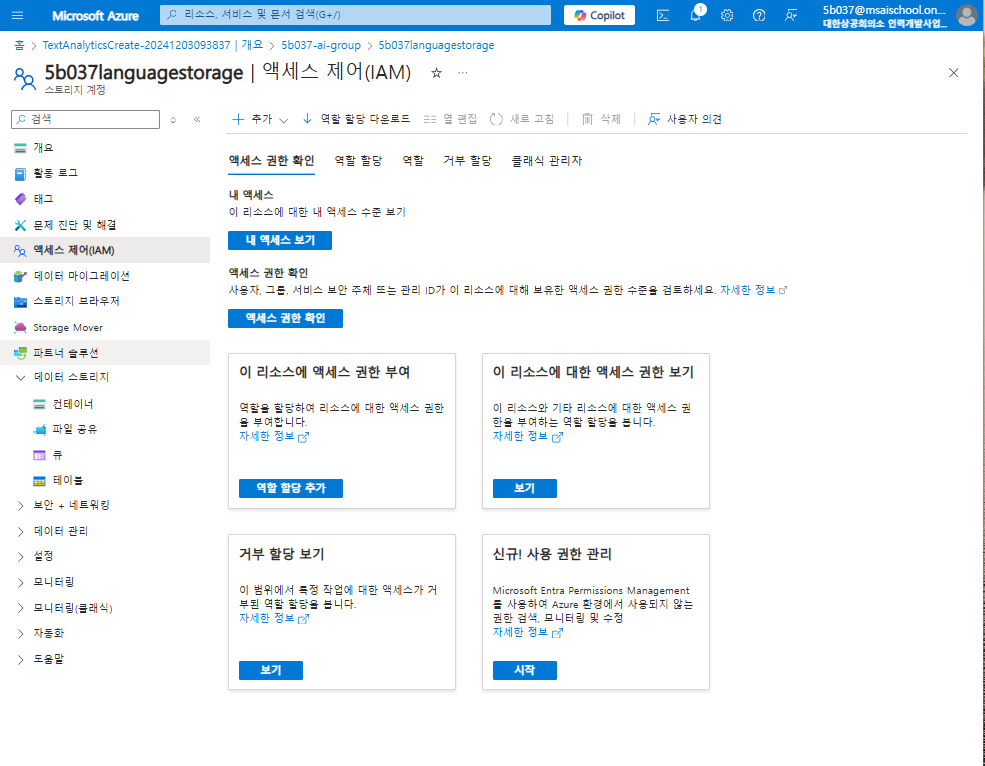
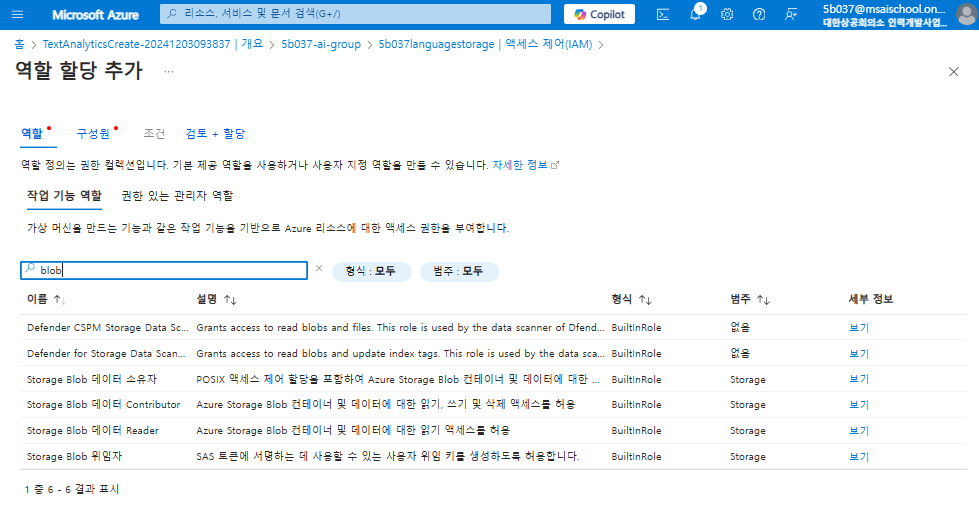
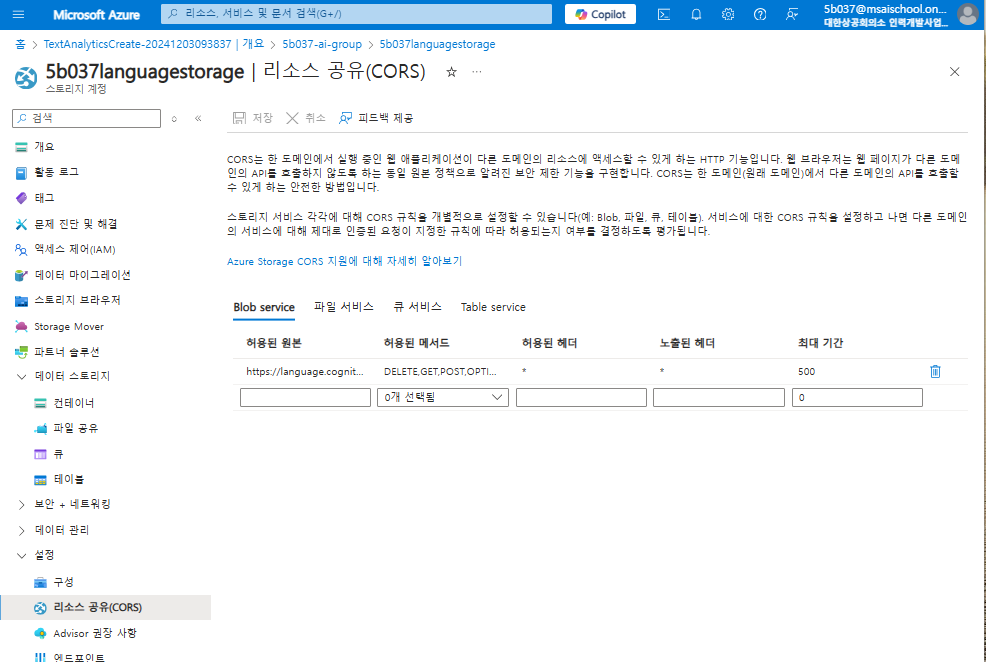
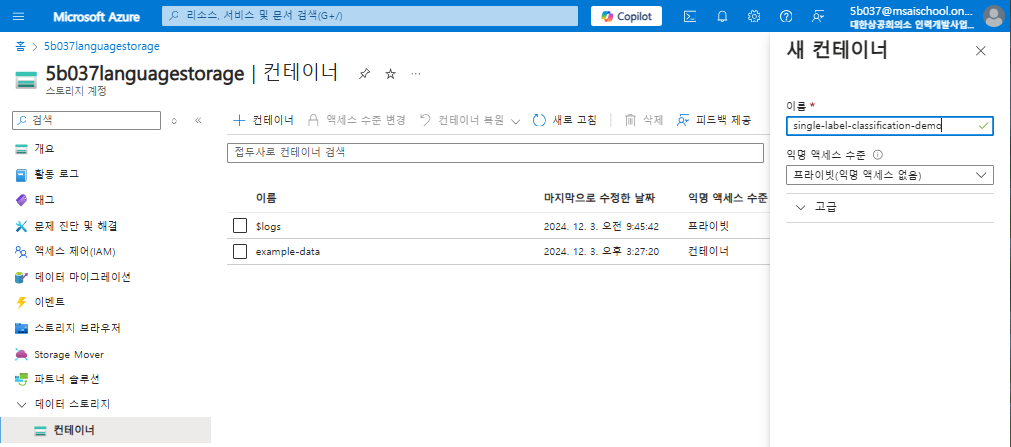
이를 위해 별도로 컨테이너 엑세스를 설정을 위해 작업해보자.
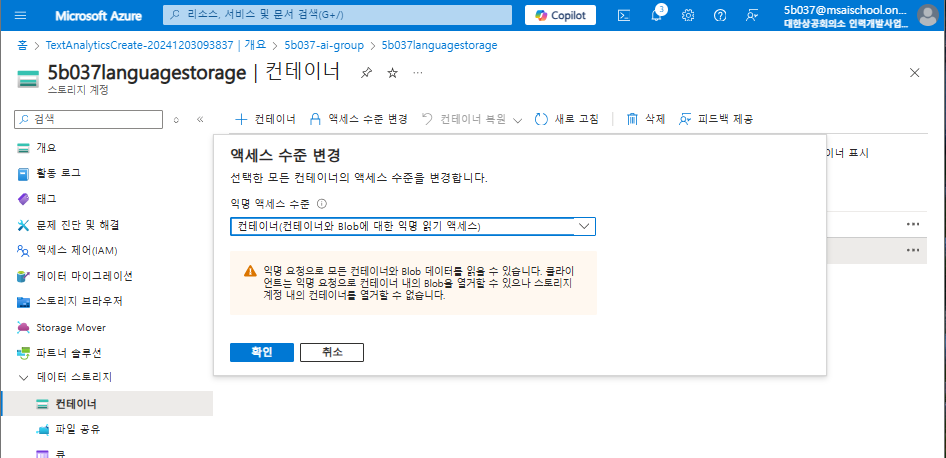
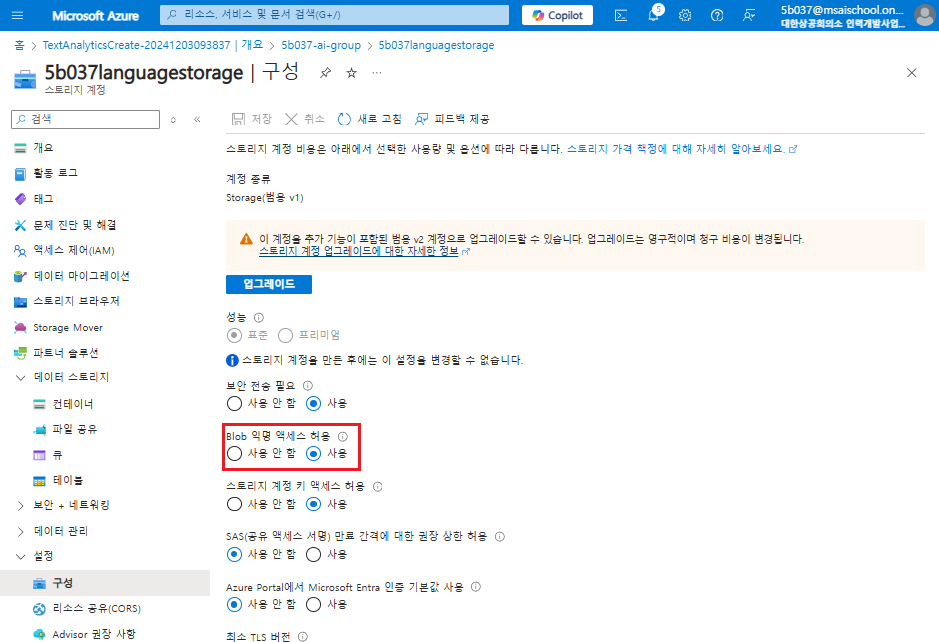
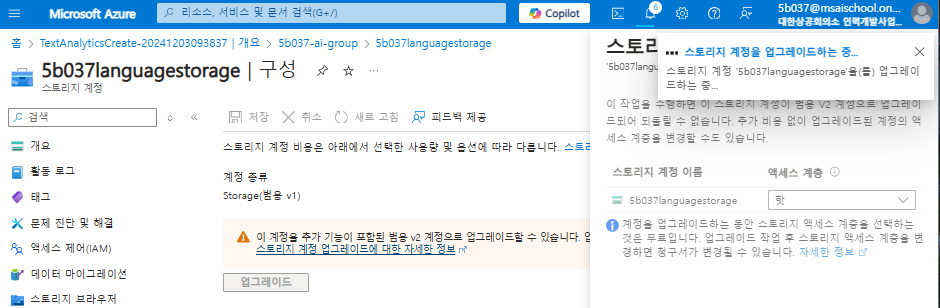
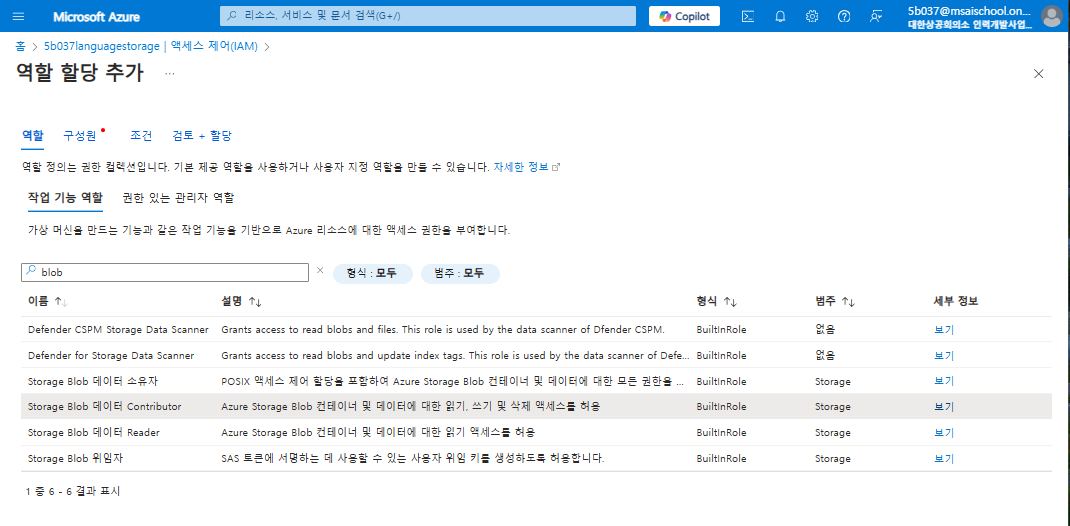
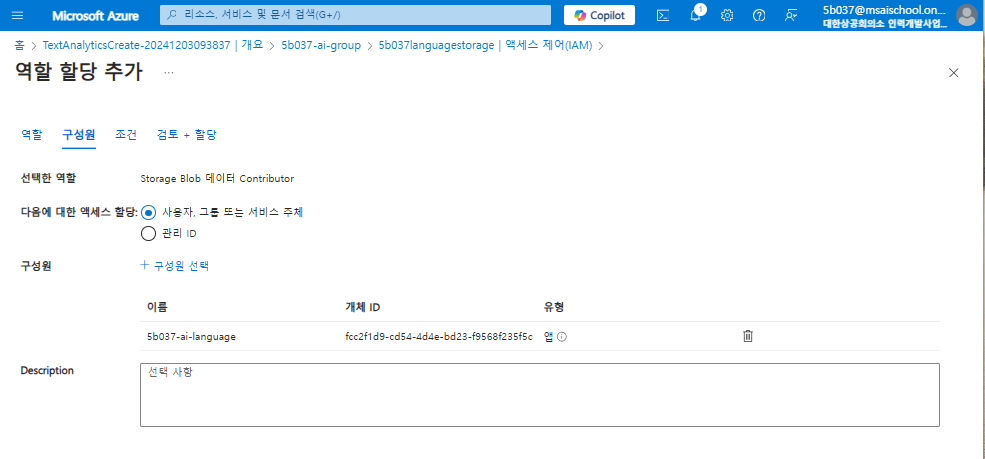
`Storage Blob 데이터 Contributor` 작업 기능 역할에 들어간다.
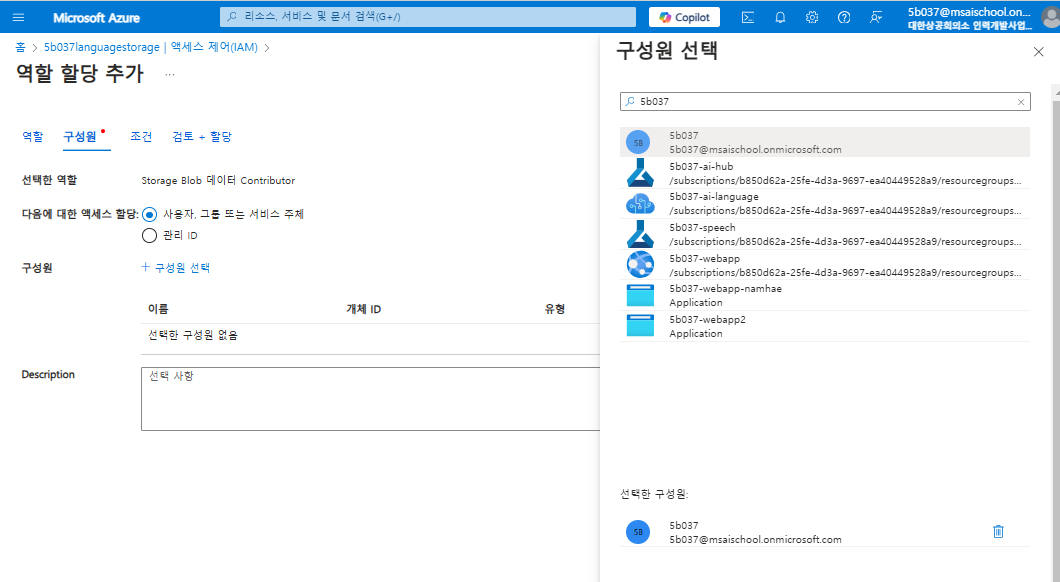
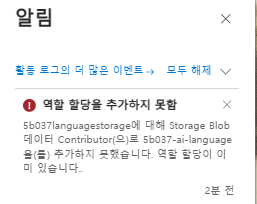
내 계정을 구성원으로 엑세스 할당해준다.
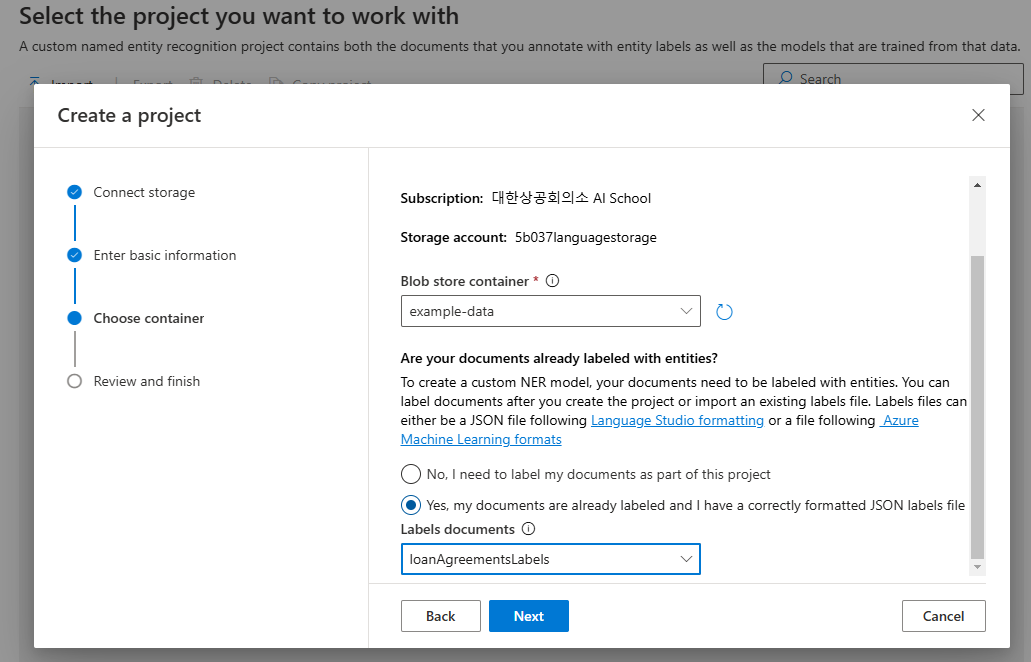
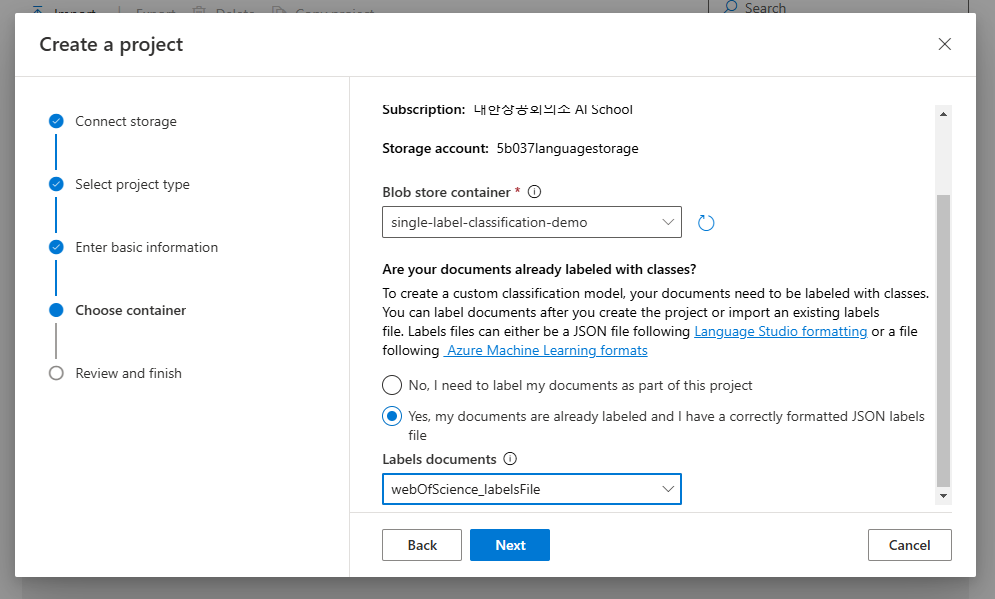
json파일이 로딩되어 나타나는 것을 확인할 수 있었다.
계정 자체를 구성원으로 역할 할당해줘야한다!!
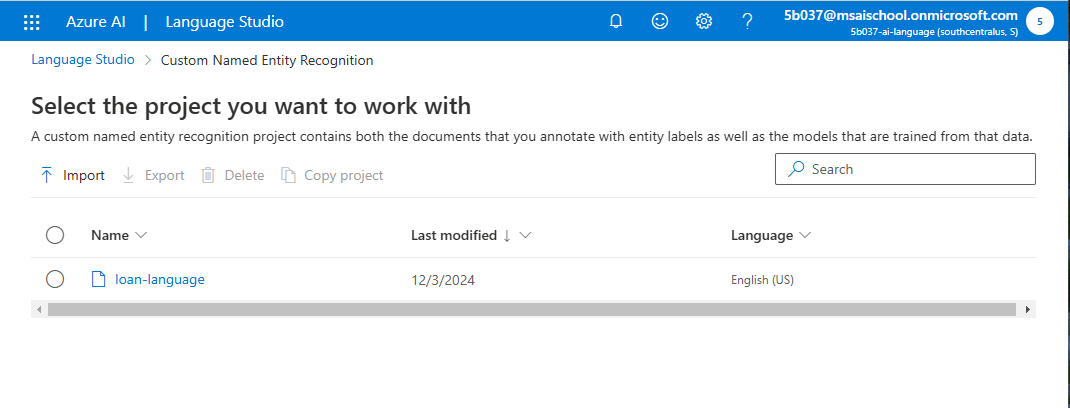
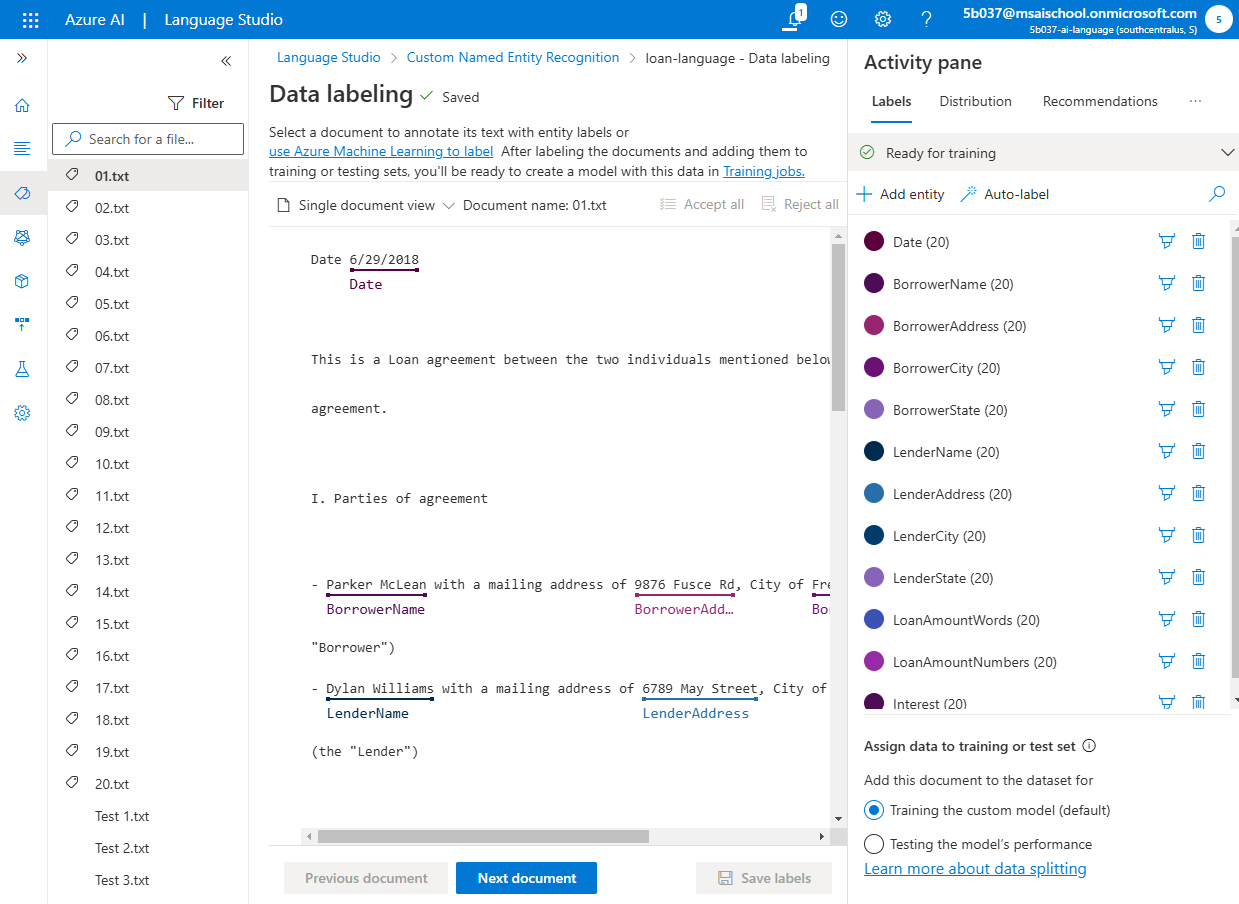
데이터가 불러와져 있고 data labeling이 되어있는 것을 확인할 수 있다.


CustomTextClassifier



'Microsoft AI School > Azure Open AI' 카테고리의 다른 글
| Azure AI Servies - AI Vision2 (0) | 2024.12.04 |
|---|---|
| Azure AI Servies - AI Vision (0) | 2024.12.04 |
| Azure AI servies - Document Intelligence (0) | 2024.12.02 |
| Rest API를 사용한 Dalle-3 모델 배포 (0) | 2024.11.21 |
| Rest API를 사용한 GPT4 모델 배포 (0) | 2024.11.20 |


